Dimension Prefix/Postfix/Underfix lists
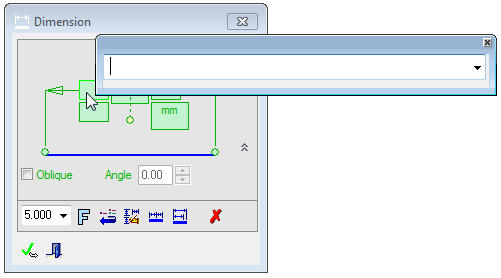
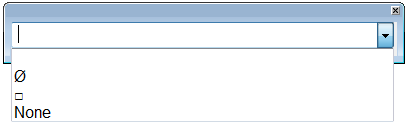
In each of the dimension prefix, postfix, underfix text fields, a dialog box is displayed enabling you to enter text or to use the dropdown to open the list of previously used text. Up to 38 text characters can be entered.
The number of items on each list, and also whether the list can be updated, is set in the Recently Used Text Preferences.
Prefix: A symbol and/or text that will be displayed before the dimension value. Only the symbols relevant to a particular dimension may be picked.
Postfix: A symbol and/or text that will be displayed after the dimension value. Only the symbols relevant to a particular dimension may be picked. This is defined in the Drawing Standards.
Underfix: Text that is displayed under the dimension value.
|
When a dialog is opened, the first empty row is displayed. |
|
|
|
Enter the relevant text or use the dropdown to select previously used text. |
|
|
Notes:
-
The first row on every list is always empty. In some cases the 2nd row is occupied by the signs that are added automatically to dimension or are available for them, for example the Ø and □ signs to the prefix of linear dimensions and the R sign in radial dimensions.
-
When a dialog is opened, the first (empty) row is displayed.
-
The last item on the list is always No Text.
-
The last used text is added to the list at the top of the list (after the empty row in postfix and underfix, and under the diameter sign in prefix).
-
If a text from the list is used, that items goes to the top of the list.
-
The length of the dialog is 38 characters long.
