Export by UCS
This option enables you to select the reference UCS when you export a file or assembly.
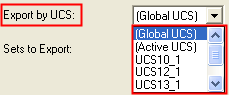
Click the arrow to display the dropdown list of the available UCSs. For an assembly, this list shows the UCSs in the upper levels of the assembly.
Choose the UCS that will be the reference UCS in the exported file or assembly.
Note: There may be a slight delay in the display of the UCS list as the system needs to open the appropriate file.
Example:
-
Click the arrow to display the dropdown list of the available UCSs.
In addition to selecting any of the UCSs in the file, you can also select the Global UCS (the World UCS or 0, 0, 0) of the file or the Active UCS of the file.
|
|
|

-
This file contains a number of UCSs. If you select the marked UCS and export the file:

The UCS you chose is the reference UCS in the exported file.