Whats New
Release 2022.04
Click an entry to see more details
Toolpath Calculation
Deburring - Select tool engagement area
A new feature has been added for Deburring.
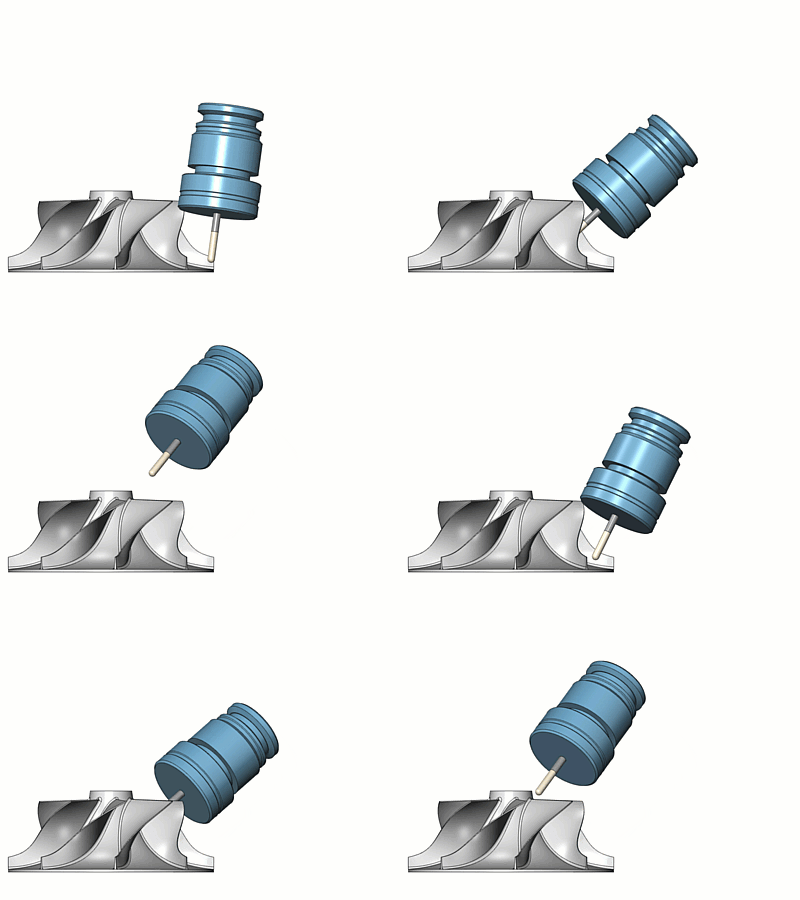
With the new option Avoid contact point on tip, tools with a full radius tip are tilted to prevent the tool tip coming into contact with the regions to be deburred.
This optimizes the cutting process by limiting the tool engagement area to avoid machining with a cutting speed of 0.

Hole Making - Thread milling
A new feature has been added to Hole Making.
Internal Thread Milling enables the user to machine threads in a helical toolpath.
The user can perform radial step over, finish passes and influence leads.
Due to the automatic lead setting, the user only needs to focus on the thread settings itself, which speeds up programming time.

Links - Custom approach and retract
A new feature to manually define the approach and retract links is now available. For each approach or retract link, the user can provide a list of n points and, optionally, the tool orientation and side vector.
The approach and retract links follow the points and from there they connect to the contour.
Benefits:
- Overcomes a limitation where the regular retract would collide and could not be resolved automatically.
- Allows 6-axis re-orientation on the retract path.

Multiaxis machining - Multiple surfaces are now supported
A new feature has been added to multiaxis machining finishing.
It is now possible to create toolpaths on multiple unconnected surfaces within one operation with the same tools and settings.
This feature speeds up programming and reduces interoperation linking.

Multiblade machining - Blisk module
A new feature has been added to Multiblade Machining.
The new Blisk part type provides options for smoothing and variable offset.
Benefits:
- Smoother toolpath for more consistent acceleration, which leads to shorter cycle time.
- Adjust the toolpath on the blades according to measurement results based on the Coordinate Measuring Machine, without changing the complex 3D file.
Multiblade machining - Full collision checking
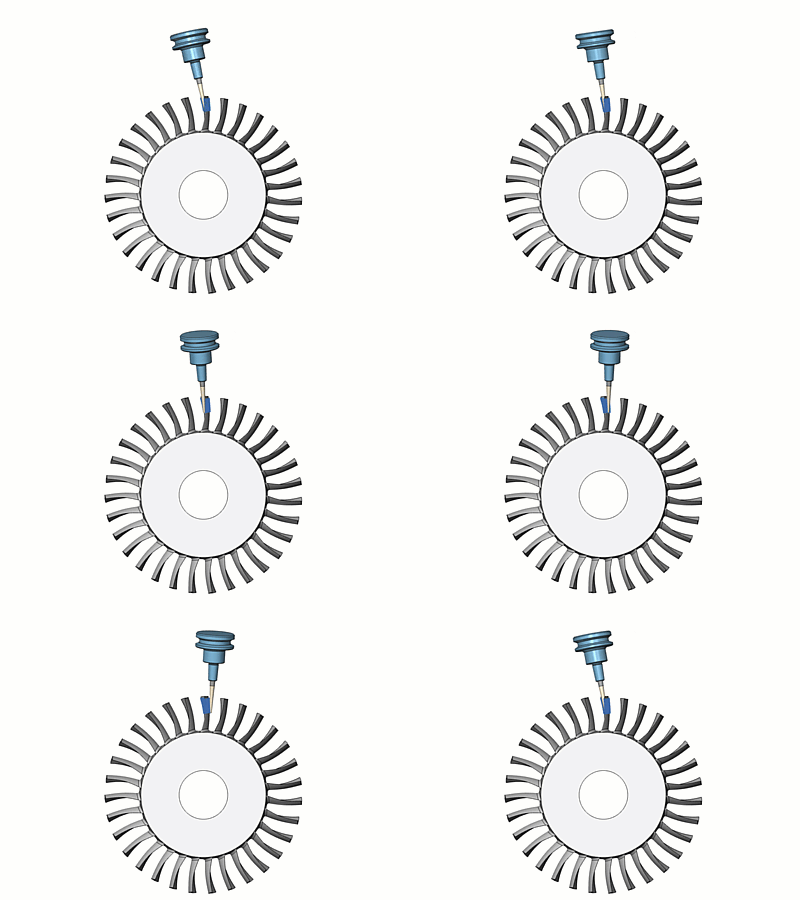
A new feature has been added to Multiblade machining.
This new option enables collision checking on the complete toolpath, which increases the safety and quality of the resulting toolpath.
Since this option uses additional calculations, it is recommended to use it only when necessary.
3D Machining - Exclude flat areas
A new feature has been added to Triangle mesh based finishing strategies.
This option allows the user to exclude flat areas while machining a part with spherical or bullnose cutters, thus optimizing machining time. A separate flatlands toolpath can be applied to such areas using an endmill or facemill tool.

3D Machining - Machine flatlands undercuts
A new feature has been added to the Triangle mesh based Constant Z strategy.
This option enhances the machining of flat areas in undercut regions by detecting the exact Z height of the flat areas. Compared to previous versions, users now have the option to machine flats at the top, bottom, or on both sides of the undercut areas.

3D Machining - Minimum depth step
A new feature has been added to the Triangle mesh based rough pattern.
This option filters out all the intermediate slices that have a depth step smaller than the user-defined threshold for the minimum depth step. This feature enhances the cutting conditions during roughing and reduces vibrations and chatter.

3D Machining - Remove stock pillars
A new feature has been added to the Triangle mesh based adaptive roughing strategy.
This option improves the adaptive roughing toolpath while machining open regions. With the standard settings, adaptive roughing for open areas can create a pillar at the center of the region in in-process stock. The pillar can create adverse cutting conditions such as vibrations and heat generation in small areas.
This new feature solves the problem by leaving a pillar at the center during adaptive roughing and then removing the pillar later using a spiral ramp motion which gives better cutting conditions and longer tool life.

3D Machining - Over machine
A new feature has been added to the Triangle mesh based adaptive roughing strategy.
This option enhances the adaptive roughing toolpath to optimize the milling conditions for hard metal milling. It changes the shape of the toolpath slices in order to compensate for tool deflections due to high cutting forces.
With this feature you can:
- avoid vibrations and chatter caused by thin walls generated due to tool deflections
- prevent thin stock from damaging the tool and spindle
- avoid defects in the workpiece.

3D Machining - Undercuts
A new feature has been added to the Triangle mesh based Flatlands pattern.
With this option for the Flatland cycle it is now possible to machine undercut flat areas on a part using slot mills.
Additional toolpath slices are generated on the flat regions of the undercut area. It uses "out to in" ordering for the toolpath to remove the material gradually.
This enables the Flatlands cycle to machine parts with undercut features.

3D Machining - Radial clearance for link moves
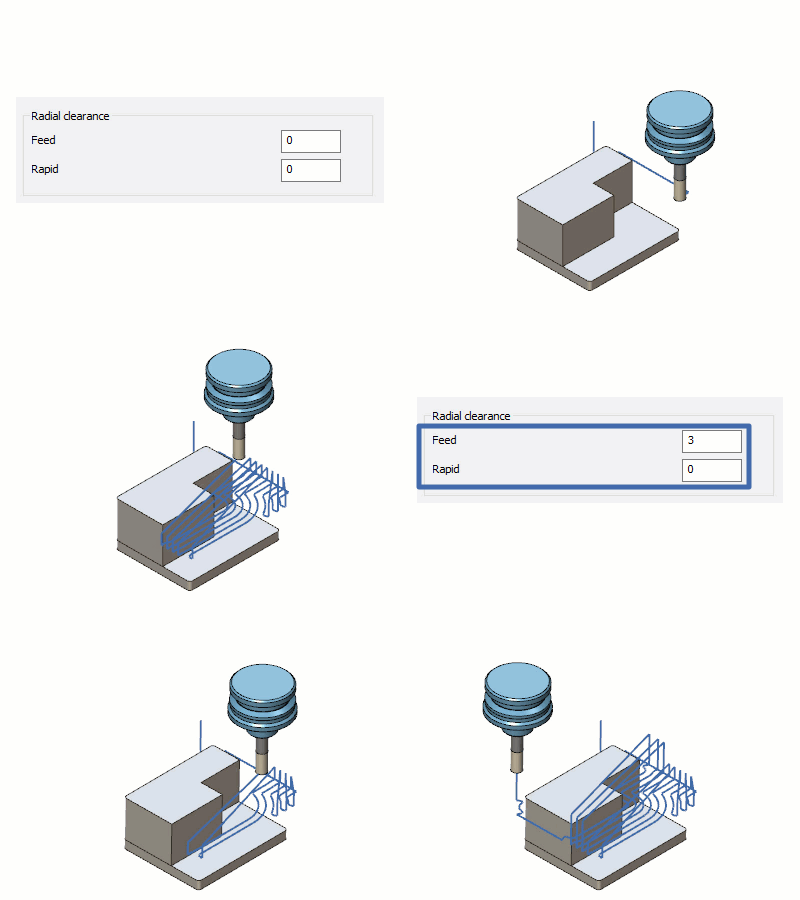
A new feature has been added to the Triangle mesh based roughing pattern.
It enables the user to specify additional clearances for retract links.
The tool is expanded by the specified radial clearance value and is used for link checking on collisions.
If the retract link height is not sufficient to avoid collisions with the expanded tool, it is automatically adjusted.
The links stay further away from the wall to prevent potential collisions against unmachined remaining stock.
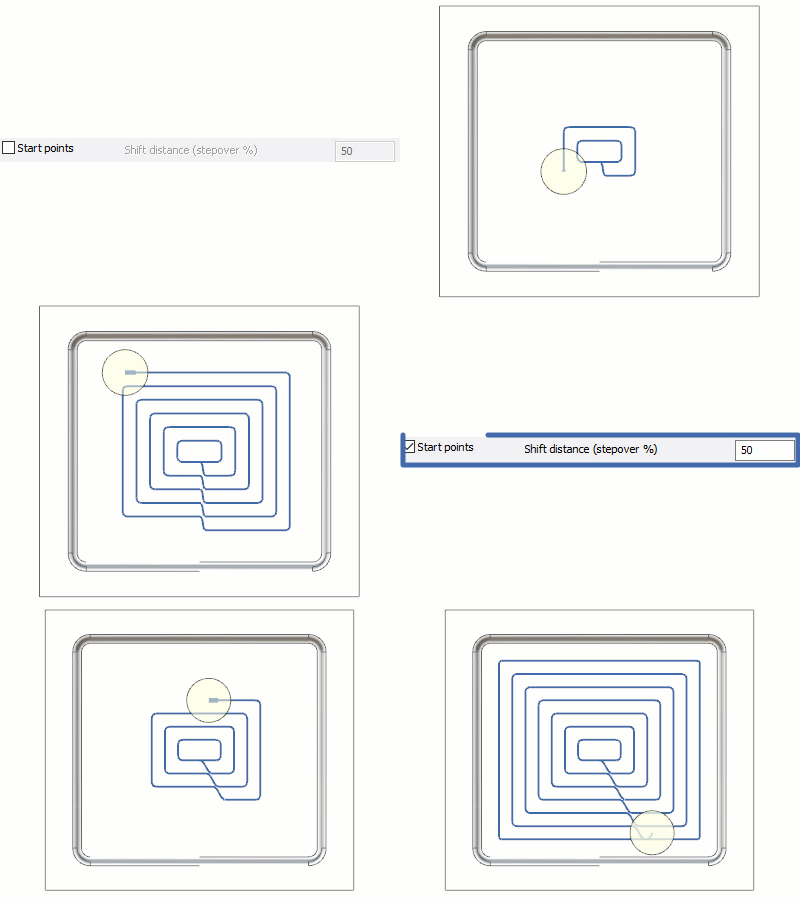
3D Machining - Shift value for links
A new feature has been added to the Triangle mesh based offset roughing pattern.
The Shift distance option shifts the start point for subsequent cuts by a defined value.
This new option provides a smoother transition to the next pass, resulting in less deceleration and acceleration during machining and faster milling times.