|
Load an entire mold base plate set in just minutes utilizing standard and user-defined catalog parts. Leverage automation to complete the design of the mold’s main components at high speed. Work with a library of over 20 vendor catalogs, customize them and create your own catalogs for reuse.
-
Mold BaseMold Base
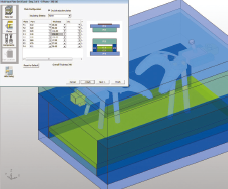
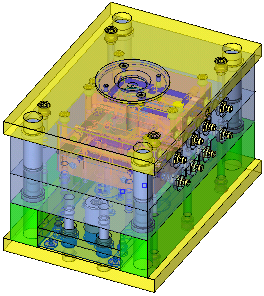
Load an entire mold base plate set in just
minutes utilizing standard and user-defined catalog parts
Easily load a standard
mold base from commercial catalogs. Work efficiently
with non-standard mold bases using a dynamic mold base template that
includes all components (plates, sliders, etc.). Instantly modify
dimensions of components and replace parts in the mold base at any
point in the mold design process.
|
|
-
Core, Cavity and SlidersCore, Cavity and Sliders
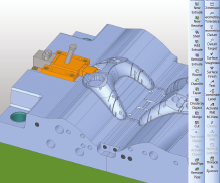
Leverage automation to complete design of
the mold’s main components at high speed
Quickly and easily
design the core, cavity and sliders. Easily implement
engineering changes to mold components by maintaining associativity
with initial parting work throughout the process.
|
|
-
Catalog PartsCatalog Parts
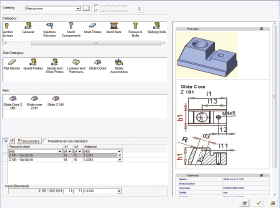
Work with a library of over 20 vendor catalogs,
customize them and create your own catalogs for reuse
Browse through
catalog parts that include complete and up-to-date details of dimensions. Automatically adapt
the catalog part or sub-assembly to the main assembly’s dimensions
and components, with parametric catalog capabilities. Integrate catalog
parts into assemblies by automatically creating pockets in every plate
the part goes through and threading the pocket where necessary. Associate catalog
parts with their drilling procedures to streamline NC
programming. Access additional
catalog parts using the Cadenas portal.
|
|
-
LiftersLifters
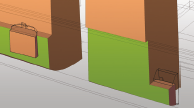
Place lifters from
commercial or user-defined catalogs in one operation. Cut even the most
complex lifters automatically. Create cavity and
core pockets to enable wire EDM and milling to begin on the first
day of design.
|
|
-
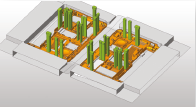
InsertsInserts
Simultaneously
add several inserts from commercial or user-defined catalogs with
automatic cutting, so no modeling work is necessary. Cut cavity and
core pockets to enable wire EDM and drilling/milling to begin on the
first day of design.
|
|
-
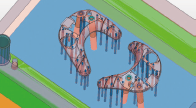
Ejection SystemsEjection Systems
Add hundreds of
ejectors from commercial or user defined catalogs in a single step
- the system will automatically find the right spot, analyze the plates
they go through, and take care of the trimming. Create pockets
that are tight around the upper end of the ejector and loose along
the body. Associate ejectors
with their drilling procedures to streamline NC
programming.
|
|
-
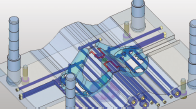
Cooling SystemsCooling Systems
Simplify the creation
of complex cooling systems and all required cooling elements (channels,
plugs, connectors, baffles, nipples, etc.) with dedicated design tools. Detect any interference
and receive alerts if cooling channels are positioned too close to
other key components. Associate cooling
channels with their drilling and gun drilling procedures to streamline
NC programming.
|
|
-
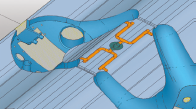
RunnersRunners
Sketch runners
in 2D to automatically convert them into 3D runners, with easy addition
of sprue bushing. Design non-planar
runners in 3D with a mechanism that helps avoid undercuts.
|
|
-
Motion Analysis and Collision DetectionMotion Analysis and Collision Detection
Validate your design
with built-in measurement, analysis, and collision detection capabilities. Simulate tool kinematics
to locate and identify collisions, and eliminate design errors.
|
|
|
|