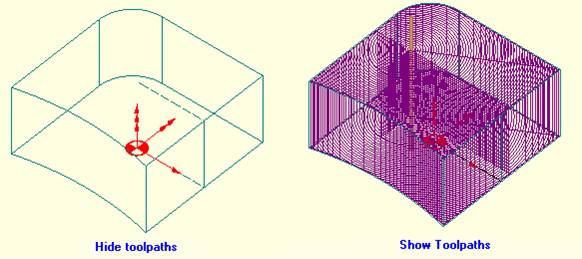
Show or Hide toolpaths
At some stage during your work, you may need to hide a toolpath on-screen (for example to see a part of the geometry which is hidden by the toolpath).
Switch between showing or hiding the toolpath
- Left-click on the part so that its name is highlighted in bluename is highlighted in blue
 to select it,
 - Click the toolpath buttontoolpath button
 in the Toolpath manager box.
The following images show the difference between Show/Hide toolpath on a Pocket process.