License Server
The Cimatron License Server software is a separate installation that will administer access to one or more licenses on a network of Cimatron PCs. This software enables each license available on the server to be shared by several users in turn. Cimatron connects to the License Server to grab a license from the available pool on the server, returning it to the pool when the Cimatron software is closed. Licenses can also be borrowed for short-term, offline use.
The License Server software does not need require a dedicated machine and can be installed on a host machine alongside Cimatron.
Note: This software also requires a suitable Cimatron license. This server license contains details of the number and type of entitlements that can be licensed and leased.
The entitlement is activated using the same method as described for dongle or computer based licenses.
-
Launch the License Server.
-
Open the License ManagerLicense Manager on the machine hosting the License Server.
-
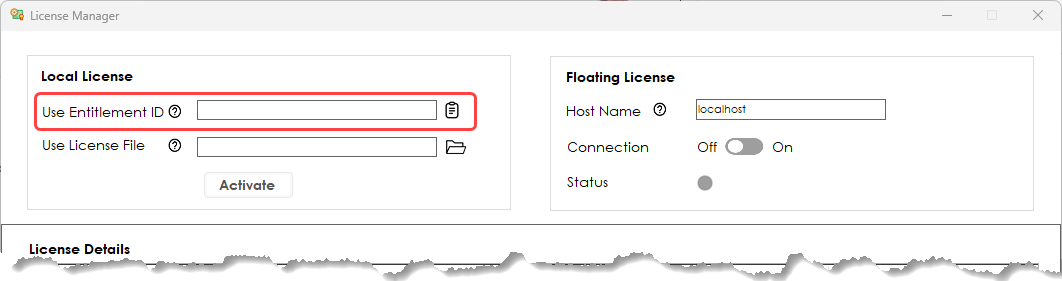
Enter or select the Entitlement ID.
-
Click Activate.
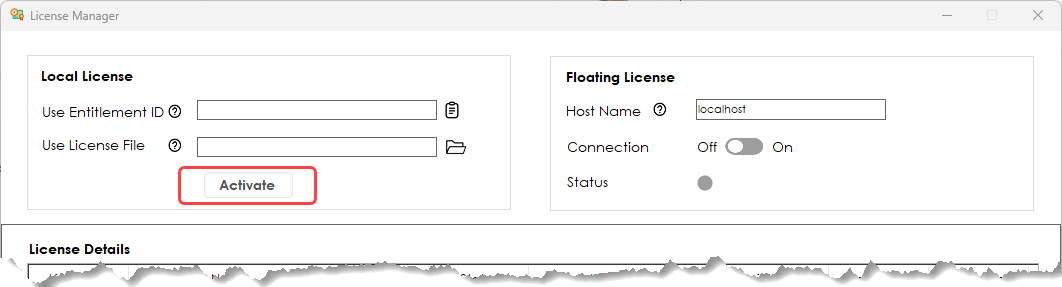
After successful activation, you can launch the Cimatron License Server Monitor app.
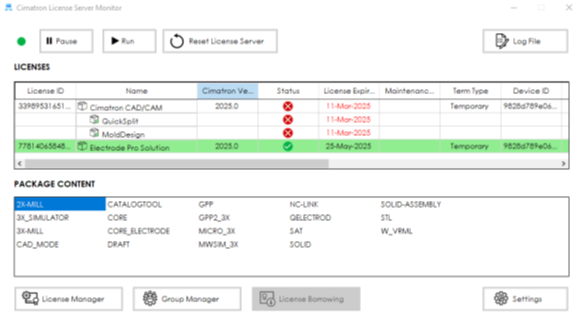
The License Server holds the details of all the licenses that are available for sharing. You can pause, run, and restart the service.
Click on a license in the LICENSES list to see its content in the PACKAGE CONTENT pane.
Any Cimatron PC sharing the same network as the server can use an available license that has been activated on the Server. Licenses can also be temporarily borrowed for offline use.
The License Server Monitor shows information about each activated license on the server, including the Feature Name, Cimatron Version, License Expiry Date, and User Details.
License Borrowing
License Borrowing is a function provided by the License Server. When you open the License Manager from a Cimatron PC in the same network, a license can be borrowed temporarily by a device (machine or dongle) until the borrowing period expires and the license is returned to the pool. The borrowed license can be used offline (such as when working offsite); It is removed from the server and unavailable to other users for the entire borrowing period.
After a set period of time, this allocation is revoked and the license is returned to the server. The remote Cimatron PC must reconnect to the License Server and request to borrow the license again to continue to use Cimatron offline.