Offset  : Editing
You can edit:
Note: If the changes result in a geometric impossibility or cause problems in subsequent features, a warning appears via the Conflict Solver.
Editing the Offset Curve Feature
Right-click on the relevant feature in the Feature Tree, and from the displayed popup submenu, select Edit Feature or Edit Reference Feature as required (see Editing a Feature).
The appropriate function is invoked with the Feature Guide automatically opened at the relevant step. Proceed through the function's steps to edit the feature/reference feature as required.
Click OKOK or ApplyApply
 in the Feature Guide to complete the function.
Editing the Offset Value Only
If you want to modify only the offset value, double-click the Offset (Edge-Offset) name in the Feature Tree.
The general offset value is displayed. Press <exit><exit> to leave edit mode, or click the value to open the Edit Parameters dialog. In this dialog you can enter another value, or enter an equation involving parametric dependency.
After entering the new parameters, click  or
or  to update the feature, or you can update it later.. (If you do not update now, all updates will be done automatically the next time you create or edit any feature or object.) Press <exit><exit> to leave edit mode.
Double-click on the Offset (Edge-Offset) name to display the general offset.
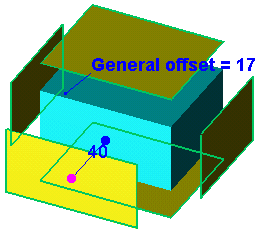
Click the value to open the Edit Parameters dialog. Enter a new value or enter an equation involving parametric dependency.
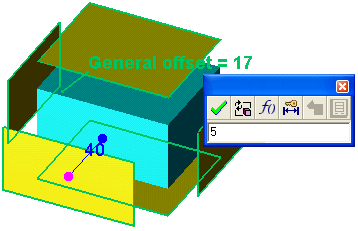
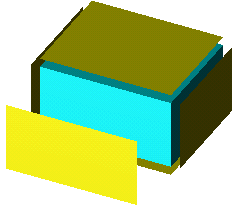
Click to update.
See also:
