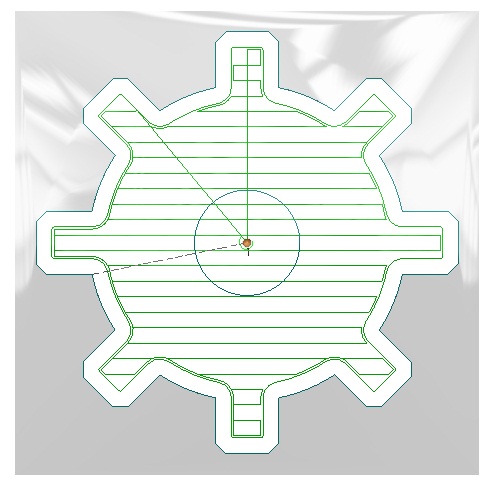
Pocket Linear
In this step you will create the pocketing cycle but this time using a linear toolpath instead of spiral.
Attention: When using a Linear toolpath, islands are not taken into consideration due to technical reasons.
Repeat steps 3 to 6. Assign a different name to the toolpath.
Select geometry and define the initial point.
Click the
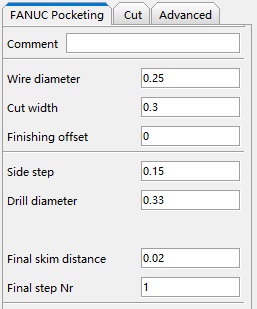
Pocket Cycle buttonPocket Cycle button and set the parameters as follows:
-
Basic
-
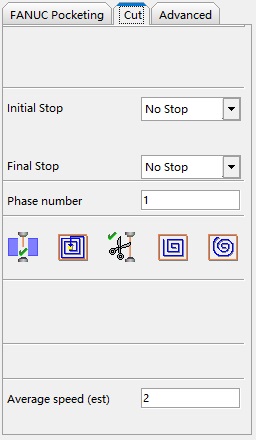
Linear Cut
Click the Calculate buttonCalculate button  or right-click on the name of process to confirms the parameters entered and calculate the process. The following message is displayed on Historical:
"This process is not allowed with an initial island"
The process is calculated but it does not consider the island.