Cuts Selection
As shown below, on the left side of the window, the parameters previously set in the previous step are displayed and in the middle area, the parameters related to the current step are shown.
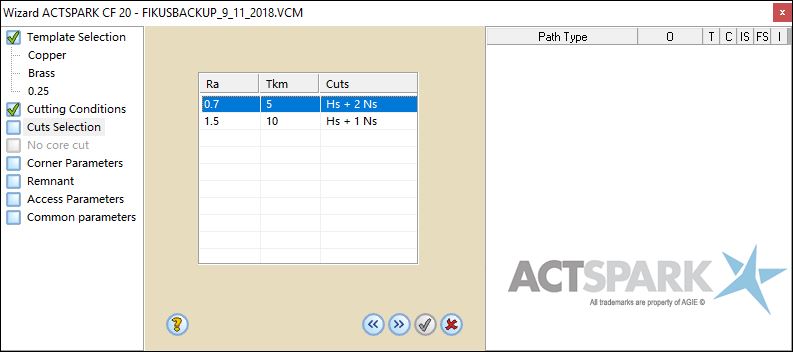
In this step the quality (Ra and Tkm) will be defined. This will set the amount of cuts that will be applied. Cimatron will show the available qualities, according to the previously defined parameters, in different rows as shown above.
Notice that at the right of the list, the amount of cuts that will be generated are displayed. Hs means Main Cut and Ns means Trim cut.
Example : Hs + 3 Ns -> One Main cut + 3 Trim cuts
Click  to go to the next step or
  to go to the previous step. If you want to exit from the Wizard, click
  .
.
