Variable Fillet
Variable Values
Back to the Inlet.elt fie. The Trim and Extend operations performed will now be replaced in one step by using the Variable Radius option.
-
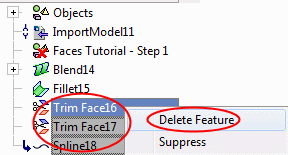
Return to the first document and delete the Spline and Trim operations.
-
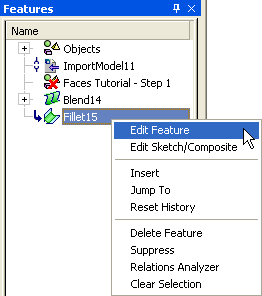
EditEdit the Fillet operation.
-
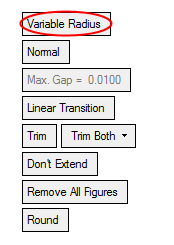
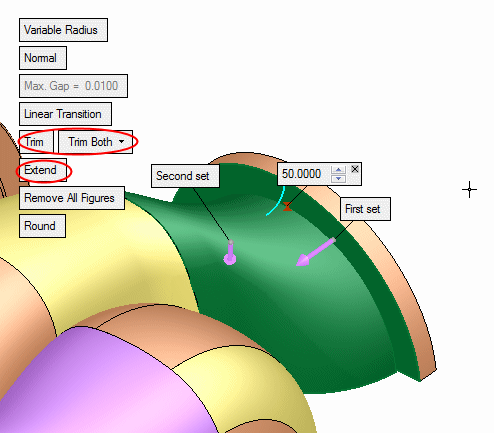
Toggle the Constant Value option to Variable Radius.
-
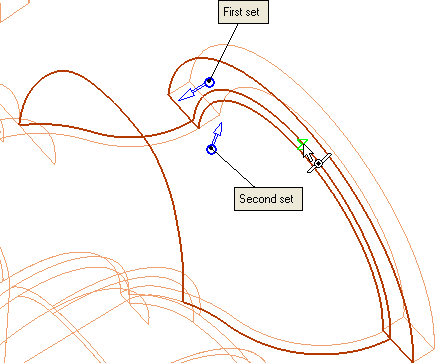
Select the Middle Point of the line as shown below:
-
Select the Middle PointMiddle Point filter.

-
Points can be picked on the first or second set of picked faces or on their edges.
-
Variable values can be removed individually by closing the value box or entirely by clicking Remove All Figures.
When using the Variable Radius option, the selected faces must contain smooth connections between them to achieve a complete fillet result (there should be NO sharp corners between the faces).
-
-
Select the Trim and Extend options.
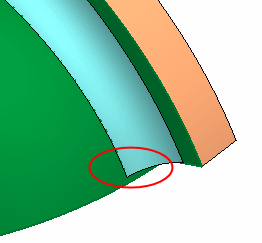
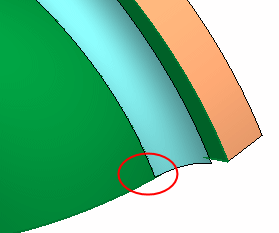
The difference between the Extend and Don't Extend options can be seen below:
Don't Extend
Extend

- Remain in Edit mode and continue with the next step.