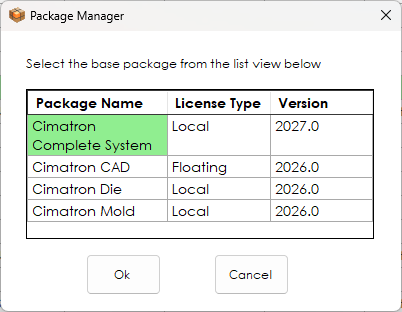
You must set a Base Package to open Cimatron. This is done via the Package Manager. Any valid license must contain at least one base package.
On first installation, if there is only one Base Package available in all the valid licenses, it is automatically selected and the Package Manager dialog is not displayed. However, if there is more than one Base Package available for you, the Package Manager is displayed listing the available Packages and you are required to select one.
Select a base package from the list of available base packages displayed in the Package Manager dialog.
Note: It will not load from a Server if all the available licenses of this package are already grabbed by other users. In this case, you must select a different Base Package, if one is available (if no Base Package is available, the Package Manager dialog is displayed empty).
The Package Manager dialog is displayed.
InvokeInvoke the Package Manager tool. The Package Manager dialog is displayed.
Select the required base package and press OK to close this dialog.