Manufacturing Attributes
The Manufacturing Attributes feature enables you to add special hole attributes to faces in the model. This data is important (for example, in Drafting) when defining the Table of Holes or Label of Holes features and in NC documents when drilling procedures are performed.
The Manufacturing Attributes Dialog
-
Open the Hole Attributes Exercise.elt file located in the following folder:
\\Cimatron_Documents\Tutorials\Cimatron_2025.0_Workfiles\Design -
Select the Manufacturing Attributes tool from the Tools dropdown menu.
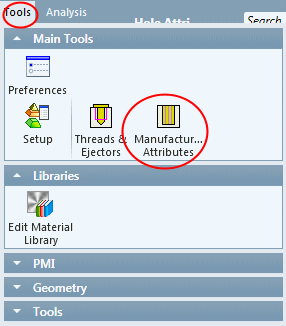
The Manufacturing Attributes dialog opens.
The Manufacturing Attributes dialog consists of:
- Attribute SettingsAttribute Settings
Attribute Settings contains the following sections:
1. No Attributes AssignedNo Attributes Assigned
This section of the dialog includes all faces of the model (or assembly) that do not have a hole attribute attached to them.
2. Attached AttributesAttached Attributes
The following sub-sections appear here (listed in order of appearance) with each sub-section containing rows (types) of attributes:
This section enables you to set faces to either be ignored or marked as already drilled and contains the following rows:
-
Ignore Holdes
-
Already Drilled Holes
This section enables you to set various tolerance types and contains the following rows (types of attributes):
-
Codes
-
Bi
-
Uni
-
Single
-
Digits of Precision
-
Manufacturing Technique
-
Legacy User-Defined (only for files created prior to Cimatron 2025.0 and containing the User 1 and User 2 attributes)
c. Depth ToleranceDepth Tolerance
This section enables you to set various depth tolerance types and contains the following rows (types of attributes):
-
Bi
-
Uni
-
Single
-
Digits of Precision
d. Exact PositionExact Position
This section enables you to set faces in exact positions.
Notes:
-
Up to 4 attributes can be attached to a hole (cylindrical/conical face); maximum of one from each section.
-
Hole attributes can be attached to Shafts. Such a hole attribute will be transferred to the plate (after a Cut operation) as color and transparency attributes.
-
Supports color coding for holes.
-
Possible to work with any type of faces (not only cylinders).
-
The Entity Information function and Status Bar display the attribute information.
-
General attributes (tolerances, precision, accuracy) are automatically filled in PMI and Drafting operations, such as Radial Dimensions.
-
The Table of Holes supports the same type of holes with a different "General" attribute.
-
When cutting a body by a cutting object with a cylindrical face that has a hole attribute, this hole attribute is transferred to the newly created hole.
-
When copying objects/faces with hole attributes, the attributes are also copied.
-
During import/export operations of parts/objects with hole attributes, the target file receives the hole attribute definitions. Existing holes in the target files are not overwritten; any hole attributes from the source file that are not defined in the target file are merged into existing attribute definitions.
-
- ParametersParameters
The Manufacturing Attributes dialog contains the following parameters:
Allow attributes on non-cylindrical facesAllow attributes on non-cylindrical faces
This enables you to set attributes on non-cylindrical faces.
Restore original colors on exitRestore original colors on exit
This enables you to control the color of faces with hole attributes, after exiting the function using the OK button
Create sets on exitCreate sets on exit
This enables you to create or update Sets with attribute data, when exiting the Manufacturing Attributes dialog using the OK or Apply buttons.
- ButtonsButtons
The Manufacturing Attributes dialog contains the following buttons:
Save to File: Save the attributes to HAT (Hole Attribute Template) file.Load from File: Load ALL attributes and defaults from the saved HAT file.
Auto Attach by Color: This enables color coding for holes.Clear All Attributes: Clear all attributes from the dialog and also all attributes from faces.
