|
|
Approach-Retract Control - Step 3
-
Edit the procedure.
-
Change the Entry & End Points dropdown list to Optimized.

-
Change:
-
Machining Method to Layers
-
Layers Connection to Advanced
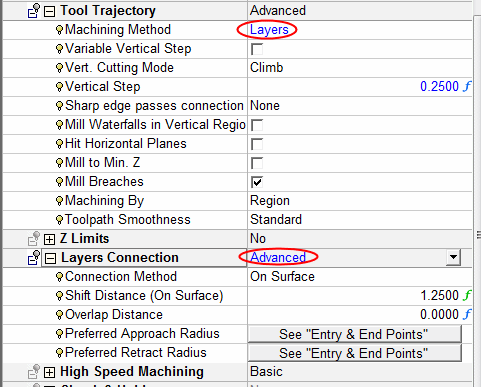
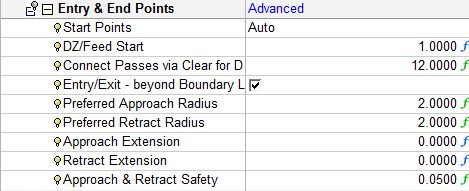
Notice that in the Preferred Approach and Retract Radius parameters you are directed to the Entry and End Points section. The Entry and End Points dropdown list was automatically set to Advanced, enabling you to set the preferred radii.
-
-
Switch to Machine Parameters. Notice the Entry FeedEntry Feed parameter.
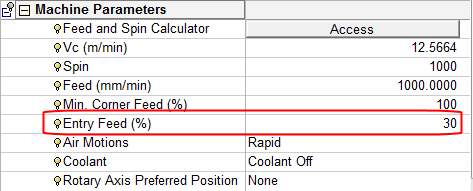
The Entry Feed is the feed rate used to allow the cutter a smooth entry into the material space, measured as a percentage of the main feed rate.
-
Execute the procedure. Activate the Information bar.
-
Use the Navigator for this procedure and position yourself by picking on one of the approach motions.
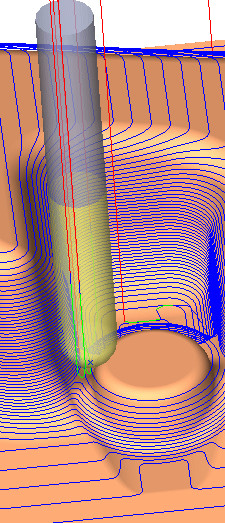
Notice the approach feed as set in the procedure.



