|
|
Applications 3
-
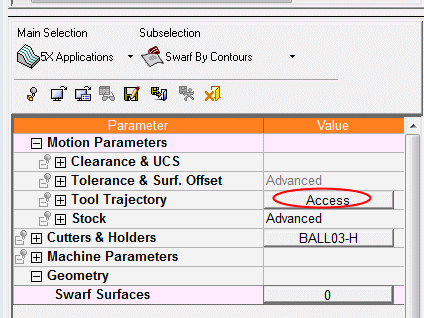
Click the Access button. Note a simplified Control Panel opens.
-
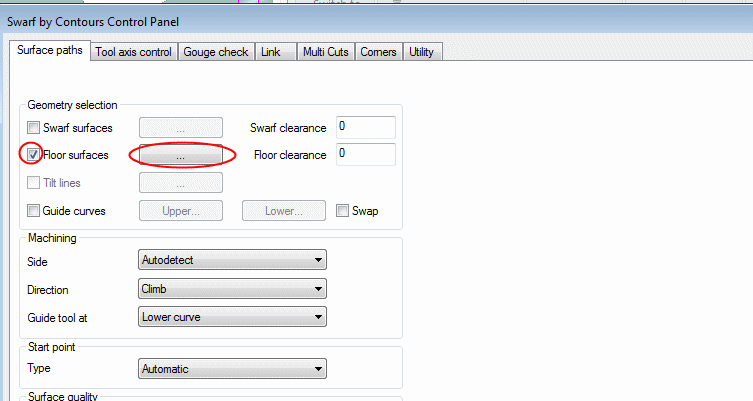
Mark the Floor Surfaces checkbox and click the ... button next to it.
-
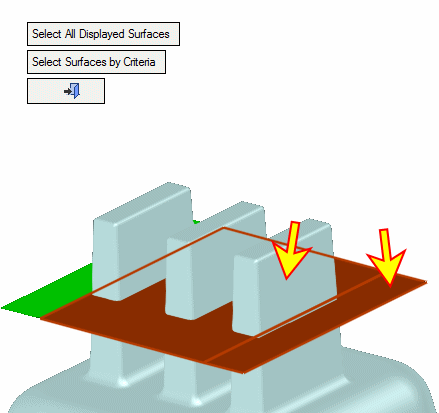
Select the faces indicated by the arrows below:


|
|
|
|
Applications 3
Click the Access button. Note a simplified Control Panel opens.
Mark the Floor Surfaces checkbox and click the ... button next to it.
Select the faces indicated by the arrows below:
|
