Preview
Automatic
-
Open a New Part File.
-
Draw a rough sketchrough sketch of the shape below.
-
Click the symmetry line iconsymmetry line icon
 at the right hand side of the screen.
 -
Create a symmetry line vertically constrained by the UCS:

-
The Symmetrical cursor for line drawingSymmetrical cursor for line drawing
 is displayed , allowing you to draw the 'half-image' on either side of the line.
The symmetry line only appears within the Sketcher.
The Line tool is set as the default option.
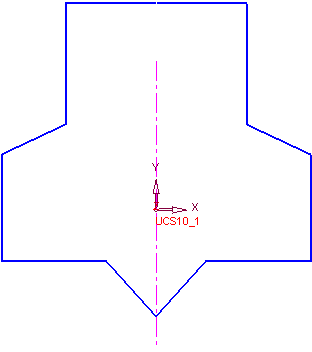
Notice that within the Sketcher Tools Toolbar the Preview iconPreview icon
 is selected.
 -
-
Click the Dimension ToolDimension Tool
 and select the lines below.
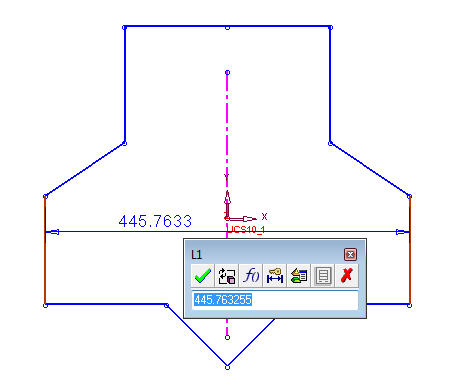
Note: The width value will vary slightly, depending on the users sketch.
-
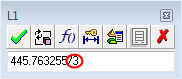
Divide the width by 3Divide the width by 3 and notice what happens to the shape.
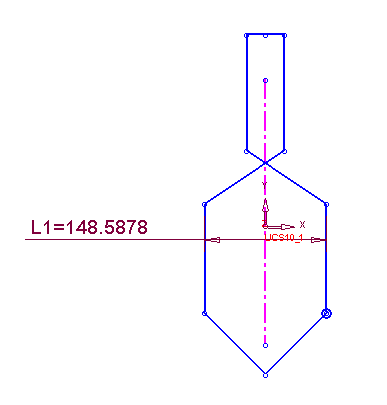
The sketch will now be dimensioned using the Manual option.
