Electrode Options
Blank
-
Hide the first two electrodes and extract the electrode as shown in the foillowing image:
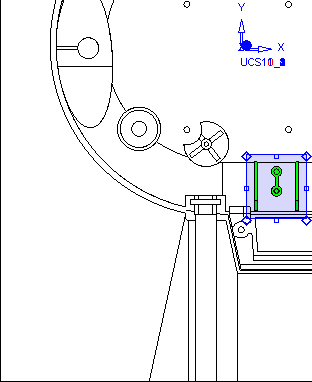
Click herehere for tips on extracting the electrode.
-
Unselect the faces. Select the two faces shown in the following image:
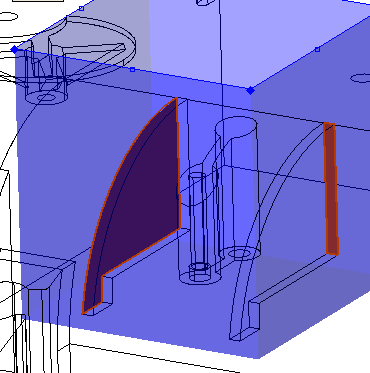
-
Select the middle mouse button to attach these faces.
-
Click Fit To Selection.
Notice the faces below have also been selected:
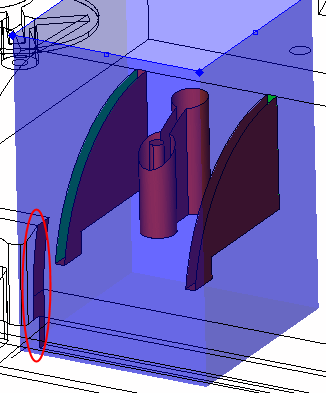
-
Press SHIFT and drag a rectangle around these faces to de-select the faces.
-
Attach the red faces to the electrode.Attach the red faces to the electrode.
-
Click OK in the Feature Guide.
-
-
Create the following blank using a Stepped Base with a Blank Height of 80 and a Clearance of 30.
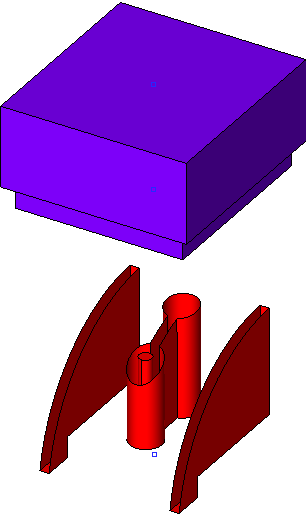
-
Create an Electrode UCS in the middle of the base.
