Editing
Construction Line
The Construction Line toolConstruction Line tool helps plan and position new entities in the graphical display area. The construction line itself is not real and does not appear within the Part environment. The Construction Line tool enables switching between a regular entity and a construction entity.
In the example below, a hexagonal extrude is required.
-
Open a New Part File.
-
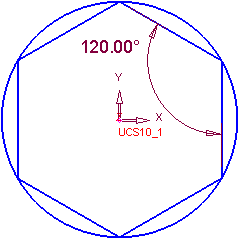
Open the Sketcher and draw the following shape:
-
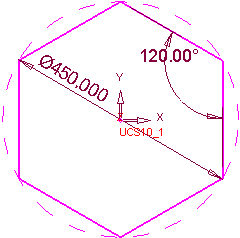
Assign a diameter of 450 mm to the circle. The hexagon is now dependent upon the diameter of the circle.
-
Select the circle and then the Construction Line icon.
-
Exit the Sketcher.
The dependency remains even though the circle is not visible upon exiting the Sketcher. The hexagon remains visible, allowing solid operations to be carried out as required.
