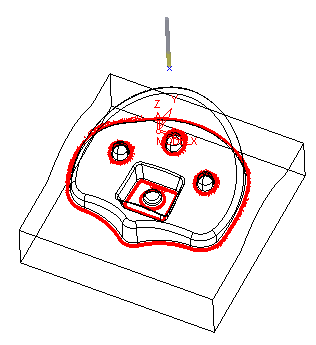
Create a Cleanup Procedure
The Cleanup procedure identifies and cleans unmachined areas that remain from previous machining operations.
 From the NC toolbar, select the Create Procedure iconCreate Procedure icon
 .
.
Change the procedure type to Remachine/Cleanup.
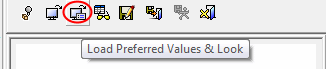
Load the Preferred Values & LookPreferred Values & Look for the Cleanup procedure and change the previous cutter to Ball8 and the current cutter to Ball4.
Set the following parameters:
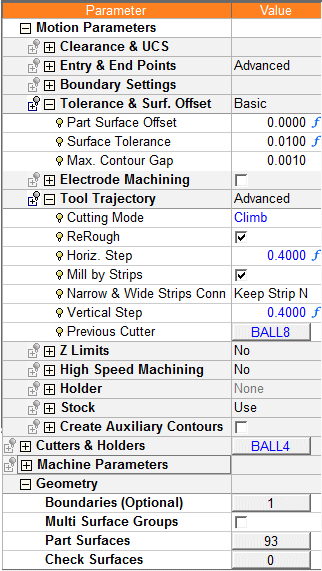
 In the default look of the Cleanup procedure, the previous cutter offset parameter is marked as hidden:

When the Folder Display icon is shown as  , this signifies that the folder does not display all its parameters.
|
|
Only the parameters marked as Shown are displayed. Hidden parameters are not displayed. |
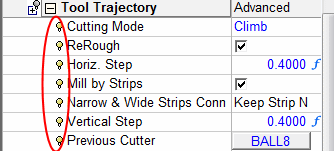
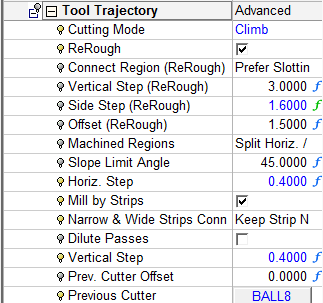
When the Folder Display icon is shown as  , this signifies that the folder displays all its parameters. This can be done by right-clicking the relevant leaf, and selecting the option: Show All (GlobalShow All (Global).
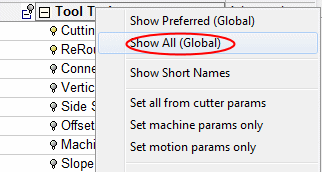
|
|
All parameters are displayed, even those marked as hidden. |
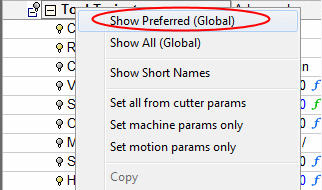
To show only the preferred parameters, right-click the leaf again, and select the option: Show Preferred (Global)Show Preferred (Global).
Save & CalculateSave & Calculate the procedure.

Hide the Finish toolpath and change the color of the Cleanup toolpath to red.