|
|
New Simple Motion Analysis Task
Creating a New Simple Motion Analysis Task
-
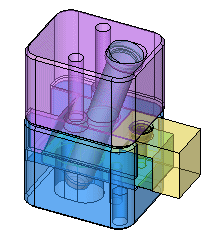
Unpack the simple1.ctf file, and open the Simple 1 assembly.
-
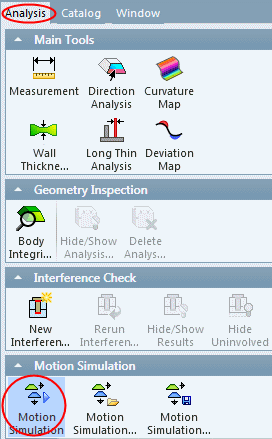
Open the Motion Analysis toolMotion Analysis tool from the Analyze menu. The New Motion Simulation dialog is displayed.
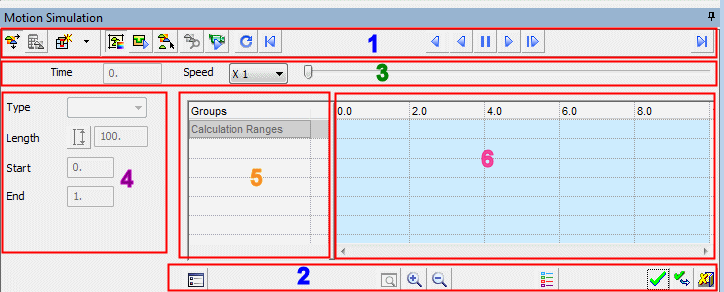
The dialog is generally divided into 6 areas:
-
Dialog buttons
-
Dialog buttons
-
Motion Control: Indicates the simulation time and speed and enables you to manually simulate movement by using the slider.
-
Motion Parameters: Defines the type of motion to be performed by selecting the option from the dropdown list and setting its parameters.
-
The List of Defined Motion Simulation Groups: A group contains a number of components that compose a rigid body. The components in the group are fastened to each other in such a way that no relative movement can exist between members of the same group.
-
Timeline Grid: The grid graphically represents a motion of a 'motion simulation group' in time.
-


