References
Datum
-
Select Wireframe > Datum > Main Planes.
-
Pick the UCS and click OK in the Feature Guide.
-
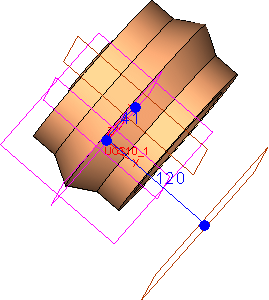
Select Wireframe > Datum > Datum > Plane Parallel, click on the ZX plane, and create a plane at a delta of 41 in the +ve Y direction.
-
Select Apply and create another plane parallel to the YZ plane in the +ve X direction, using a delta of 120 mm.
-
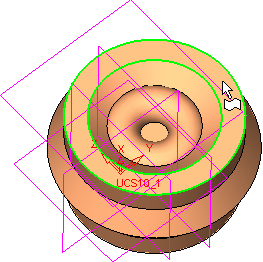
On the top face,
 draw the following sketch:draw the following sketch:
-
Select the top face as the sketch plane.
-
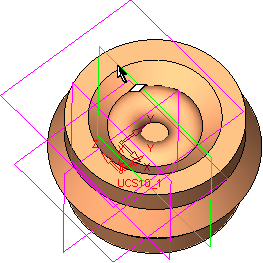
Click on the Add Reference iconAdd Reference icon
 in the sketcher tool bar, and click on the first plane created above. For example, 41 in the +Y direction.
-
Click on the Add Geometry iconAdd Geometry icon
 .
. -
Click on the Filter Faces iconFilter Faces icon
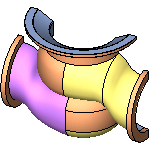 in the main tool bar, and click on the face below:
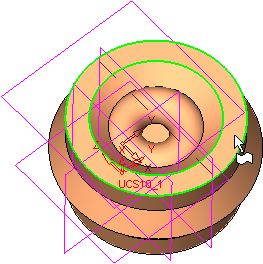
-
Click the Middle Mouse Button to exit the Add Geometry mode.
-
Along the created reference line, draw the lines indicated below.
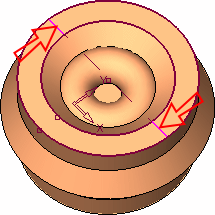
-
Trim the sketch as necessary.
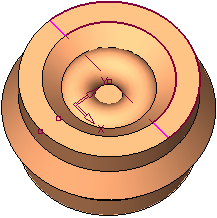
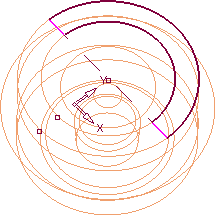
Click the picture for a view of the sketch in wire-frame mode.
-
