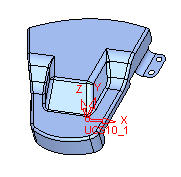
Local Blank on Binder
The Blank on Binder operation enables users to create a local blank or global blank (FEM) on 3D groups of faces.
The binder object can contain any type of face, but for best results it is recommended that the binder object contain only smooth, planar, and cylindrical faces.
Two types of Blank on Binder operations exist:
-
Local Blank on Binder
-
Global Blank on Binder
Step 1 - Local Blank on Binder
-
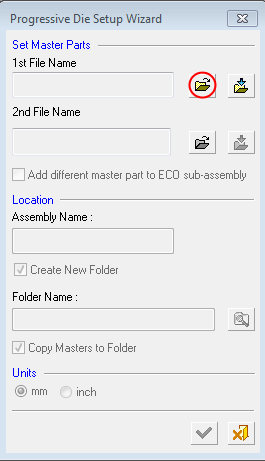
Select the Progressive Die Setup Wizard icon to enter the Progressive Die Design Wizard. The Die Layout Setup Wizard window is displayed below:
-
Open the binder.elt file.
-
Select the checkbox for the Create New Folder and Copy Masters To Folder options and click OK.
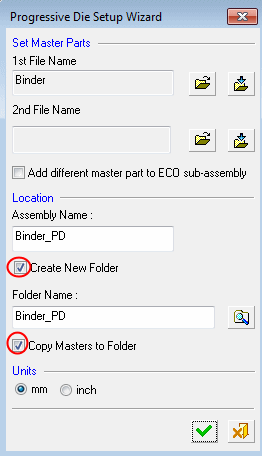
The binder part is a skin model.