|
|
Extend Object
The Extend Object is used for fast modifications on Solid Objects (closed or opened). Modifications such as removing faces by extending adjacent faces to fill the gap, moving faces to relocate holes, and offsetting faces to resize pockets, ribs, and replacing faces.
The function should be used for fast modifications when you want to avoid regeneration of the entire project.
Move Faces
-
Open the Extend_object.elt file located in the following folder:
\\Cimatron_Documents\Tutorials\Cimatron_2025.0_Workfiles\Design -
Select the Solid > Extend Object option.
-
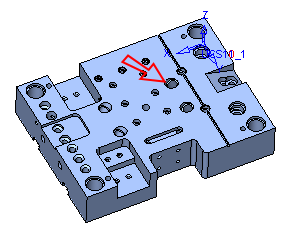
Set the Selection option to Expand to HoleExpand to Hole. Select the face as indicated by the arrow. Note that the entire hole is selected.
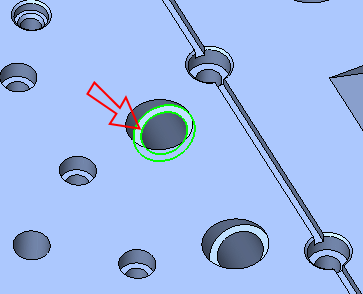
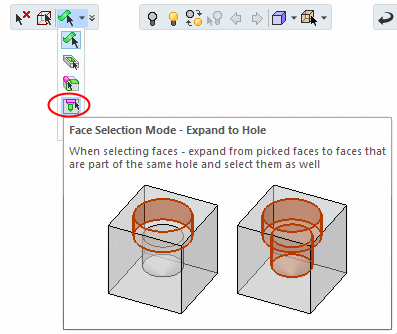
Expand to Hole Selection is enabled by selecting one face to select the entire hole.
-
Exit (middle mouse button).


