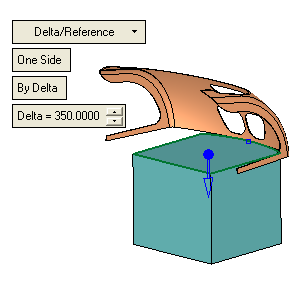
New Extrude
We'll now build the lower area of the part.
-
On the XY plane create the following sketch.
-
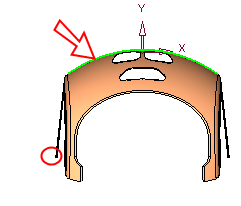
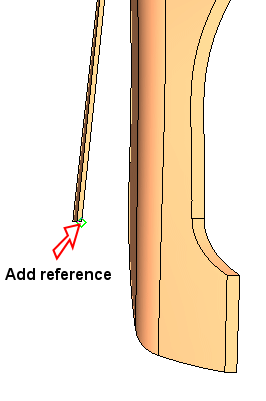
Click Add Geometry and pick the arc. Select Add Reference and pick the point shown in the area marked with a red circle.
-
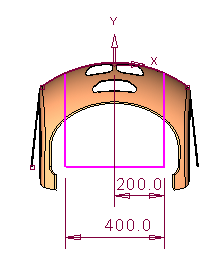
Sketch the following sketch and set the dimensions as shown in the image below:
-
From the Solid menu, select New > Extrude and apply a delta of 350.