|
|


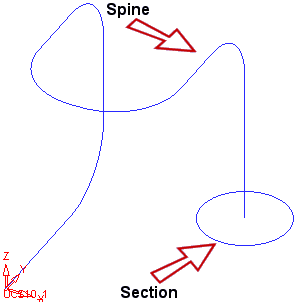
Section
-
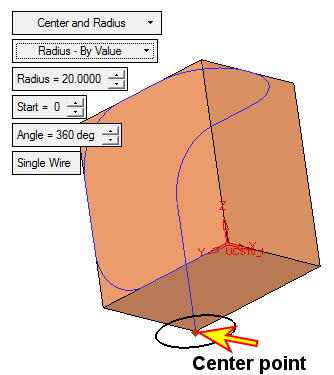
Create the following circle using Wireframe > Create Curves > Circle, the reference point shown, and the following parameters:
-
Click OK in the Feature Guide.
-
Deselect the created circle. Remove the created cube.
-
Click the Filter Objects iconFilter Objects icon

-
Select the cube
-
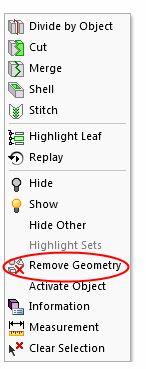
Right-click and choose Remove GeometryRemove Geometry.
-
- Click OK in the Feature Guide.
The screen will now appear as follows: