Part Environment - Sets
Sets are used to create groups of specific geometric entities.
Sets can be chosen in the following two ways:
-
By Selection: This type creates a closed set. Once these entities have been picked, the set is closed and a new entity will not be included in the set unless the set itself is edited.
-
By Criteria: This is a dynamic type of set. Once a query has been made based on the attributes of the entities, every new entity which matches the query is added to the set. Every new operation referring to this set includes this new entity.
Sets Tab
-
Open the Clip Core part file located in the following folder:
\\Cimatron_Documents\Tutorials\Cimatron_2025.0_Workfiles\Design -
Open the Sets tool by clicking the Sets tab in the Features Tree.

-
Show the Archive set.
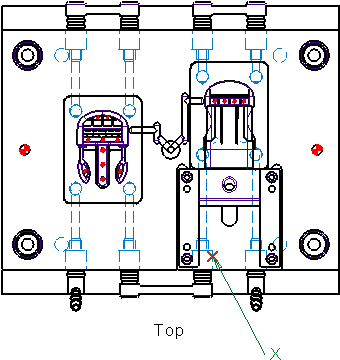
The Archive set contains Datums and/or Wireframe entities used to build features in Cimatron.
In this case the original plane can be seen along with the sketch used to place Mold Ejector Pins.There is normally no need to see these entities but it can be a quick guide to see the entities' original sketch.
This set cannot be edited. -
Hide the Archive set.
