|
|
Shank and Holder Advanced Step 3
-
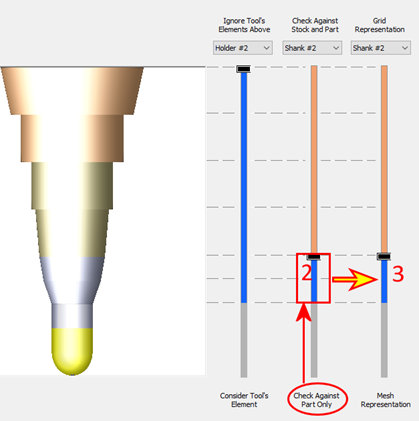
In the middle slide, set the highest element to be Checked Against the Part to Shank#2.
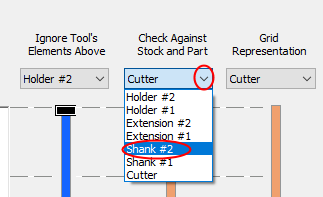
Notice that the third slider was also updated. Its slider moved to the same height. The reason is that whatever elements that are checked against the part must be checked against the more accurate representation of the geometry - mesh.
It is possible to move the third slider up. This will cause more of the above tool elements to be checked against the more accurate mesh representation at a price of a longer calculation time. However, the third slider cannot be set lower that the second.
(As mentioned before, note that the cutter is always checked against the part at a different tolerance as defined in the Parameter Table.)