EDM Setup
Standard
An EDM setup for a standard machine will now be created.
-
Use the same Preferences set in the Electrodes tutorial.
-
Right-click on any electrode in the Electrode tree and select EDM Setup.
-
Set the Rough parameters as follows:
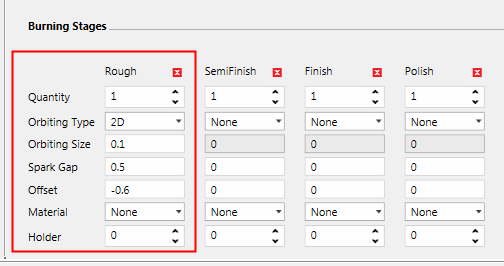
The Wizard opens according to the branch picked in the Electrode tree.
Each branch holds specific setup information for the EDM process.
