Step 11 - Create a Pocket
-
Show only the Movable Side sub-assembly.
-
Activate the K20 part.
-
From the Menu Bar, select Extrude (Remove).
-
Click the Sketcher buttonSketcher button to create the sketch of the body to be removed.

-
Define the Sketch plane using a hidden face. Move the mouse cursor over the face as indicated by the red arrow in the picture below.

This face is above the area of the hidden face required. -
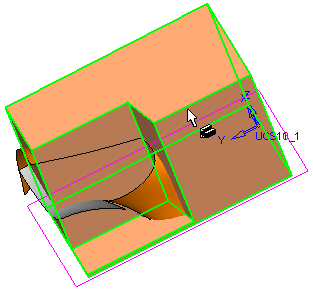
Wait until the cursor changes to the Select Other MechanismSelect Other Mechanism as shown. Hidden or adjacent entities can now be picked by selecting the first highlighted face (without releasing the mouse button) and moving the cursor accordingly (in this case up the screen).

-
When the lower face of the core is highlighted in green, release the mouse button to select it.