2D Drawing
Visibility
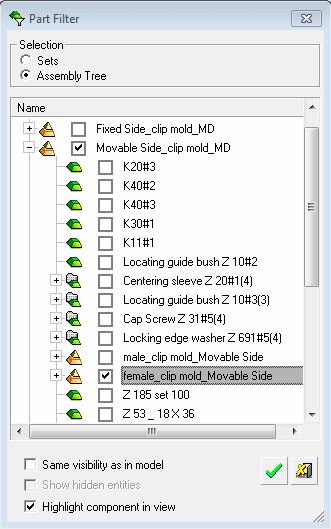
- Create an ISO view of the female_clip mold_Movable Sidefemale_clip mold_Movable Side sub-assembly.
- Show the hidden lines of the view in purple.
- Activate the view and select Sheet > Change Curve Visibility.
- Pick the lines highlighted below:
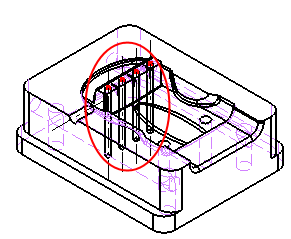
- Verify that the Mark as Visible optionMark as Visible option is selected and click OK.
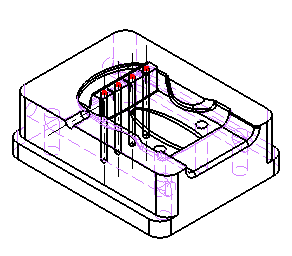
Segments can be changed by either selecting Sheet > Change Curve Visibility or by editing the view and selecting Reset Visibility ChangesReset Visibility Changes in the View Creation dialog.