Warpage
Warpage Step 1
Improve the ability for LOCAL warpage compensation.
A method to compensate a B-rep against a mesh object (after spring back deformation), which can come from:
-
Scanned data
-
FEA analysis
-
Load the part Demo Compensation.elt file.
-
Align the mesh object to the B-rep (see detailed explanation in the Part Design Exercise – Auto Alignment of an Object to Another Object).
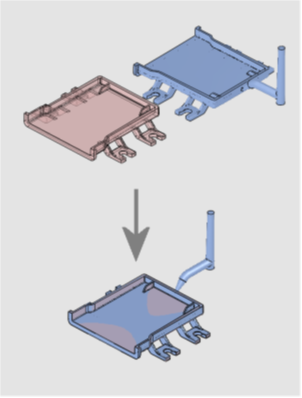
You can load the Demo Compensation-Aligned.elt file where the two objects have already been aligned. -
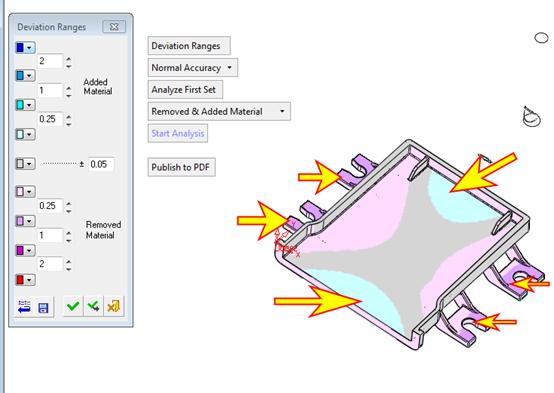
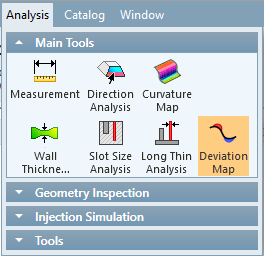
Click Analysis > Main Tools > Deviation Map. This tool shows the areas of interest.
The Deviation Map tool calculates the distances between two parts. The result is a color-coded map of the distances between the original and target parts.
Deviation Map can be used to find out how much material has been added or removed between two versions of a part. Prior to using the Deviation Map, overlay the new part on the old one by either adding it to the assembly or importing it. The results of the analysis are presented using a color-coded display. A mouse click in a specific area will display the distance between walls and other features.
-
Select the B-rep object in the first step of the function and the mesh object in the second step and click Start Analysis.