File Attributes – DI
When this checkbox is ON  , during the import process of converting the external file format into the Cimatron format, all external file format attributes (such as BOM attributes) will added to the Cimatron Attribute Translation Map resource file (AttrTrnMap.xml).
Default = OFF 
System resource files are located in the following folder:
...\ProgramData\Cimatron\Cimatron\2026.0\Data\Resource
English resource files are stored in the English sub-folder under Resource.
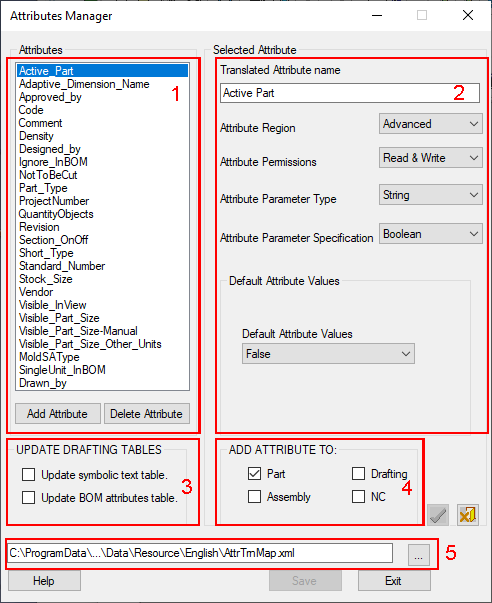
These are displayed in the Attribute Manager dialog:
|
|
Only user-defined attributes are displayed and these are sorted alphabetically. 1 - The list of attributes in the AttrTrnMap.xml file. 2 - Attribute parameters. 3 - Tables associated with the Drafting application. 4- Applications where the attribute appears. 5 - Location of the Attribute Translation Map file (AttrTrnMap.xml) containing the attributes.
|
To see these file attributes in the Cimatron Explorer or in the BOM, perform the following steps;
-
Open the Attributes Manager.
-
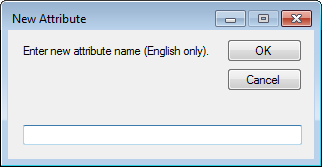
Click the Add Attribute button in the Attributes Manager dialog.
-
In the displayed New Attribute dialog, add the attribute with the same name as the attribute that appears in the source format.
-
Select the Update Drafting Tables checkboxes (in the Attributes Manager dialog) to ON
and set other parameters as required, similar to any other attribute.
