Define Die Set & Station Settings 



Access: Open this function from one of the following locations:
-
Select Die Design > Transfer Die Sets > Define Die Sets & Stations from the menu bar
-
Select Transfer Die Sets > Define Die Sets & Stations from the following Die Design Guide: Die Tool Design Guide (Transfer).
Create the appropriate sub-assemblies under the Tool Design assembly and create a suitable array for the placement of forming shapes.
This function is used in Transfer Die. Die set and station definitions can be edited by selecting Edit Die Set & Station Settings.
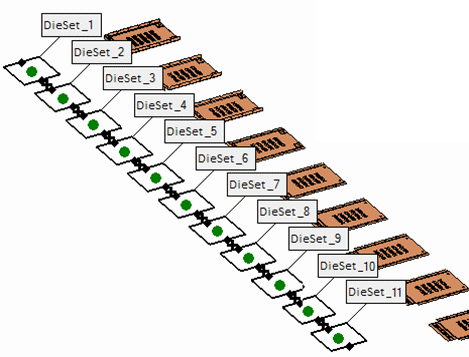
General Interaction
The following is the Feature Guide for Create Stations.
|
|
|
 Tip: You can open the Feature Guide at any time by right-clicking the mouse in the graphic display area.
Required Step 1  : Set the parameters and/or drag the boxes to define the die sets.
Detailed Interaction
See Options and Results.
