Auto Fit Options
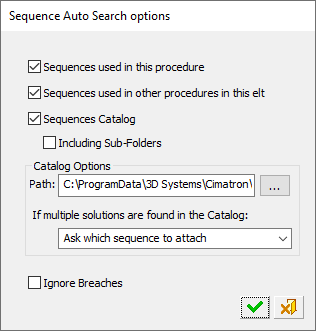
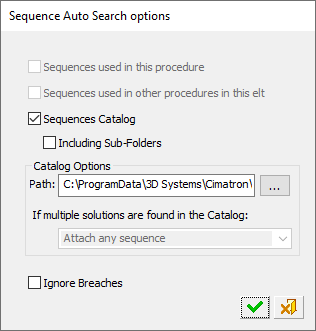
Press the Access button to display the Sequence Auto-Search Options dialog. This dialog can be accessed in a number of ways, including by selecting the Auto Fit Sequence option from the Automated Drill Guide.
This function enables you to search for a sequence and attach it to the selected group. The system stores as default the values that were used last.
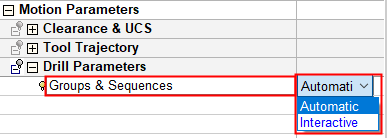
The options that are available in this dialog depend on whether the Automatic or Interactive mode set in the Groups & Sequences parameter under the Motion Parameters > Drill Parameters table.
|
|
|
|
Dialog displayed in the Groups & Sequences Interactive mode |
Dialog displayed in the Groups & Sequences Automatic mode |
See Sequence Auto-Search Options for additional information regarding this dialog.
