|
|
Cross section direction
 Changing the angle of the direction causes a change in the resulting face.
 Hide the previously created face. Create another face using the Tangent Curve - Face option. Select the same curve and face as selected in the previous step.
Change the direction of the cross section as follows:

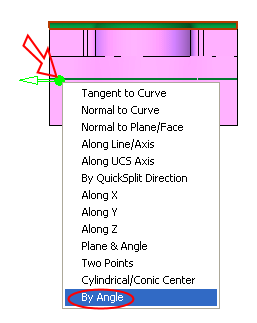
Click on the arrow origin to open the direction menu.
Select the By Angle option.
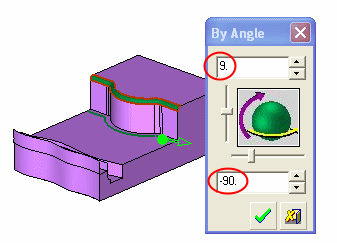
Select OK.
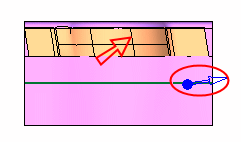
Note that the arrow direction is normal to the resulting cross section direction
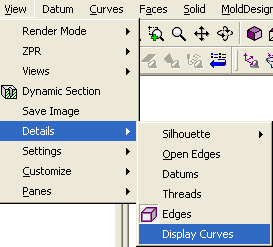
Change the display curves to display more cross sections.