|
|


Add Slider
Add Slider - Step 1
We recommend the sliders are added before loading a mold base so you can evaluate the required size of the mold base.
-
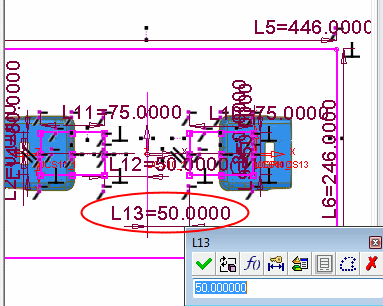
Before proceeding with the slider, edit the layout part.
Set the dimension highlighted in the following image to 50.
-
Activate the main assembly.
Add a new sub-assembly and name it Sliders.
Place it on the assembly UCS. -
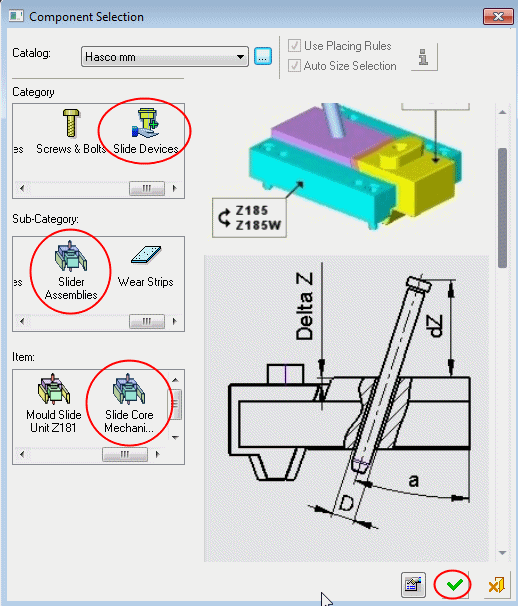
Load a slider unitLoad a slider unit.
Select the Slide Devices > Slider Assemblies > Slider Core Mechanism Assembly Z 180.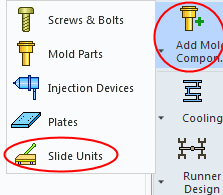
-
Place the Slider assembly on the two layout UCSs as indicated by the arrows in the following image:
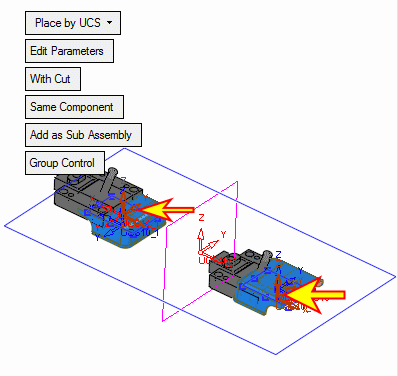
-
Select the Optional stage, Offset and Rotation.
-
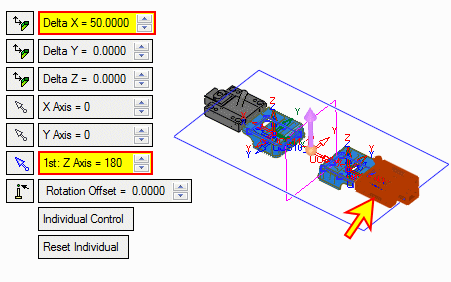
Change the settings to Individual Control and select the slider indicated by the arrow in the following image.
Offset the slider in Delta X = -50mm.
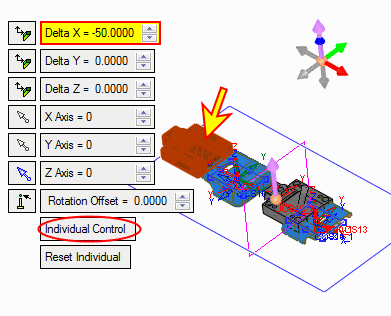
-
Clear the selection. Select the other slider and set the parameters as follows:
Delta X = 50
Z Axis = 180