|
|
Applications 7
Note that the same result could have been reached via the Pro general application, however, in a more complicated way since Swarf By Contours is specifically designed for the Swarf By Contours task.
-
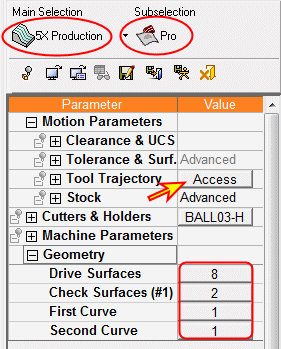
You may create the procedure through the Pro application. Select the 5X Production / Pro options and click the Access button.
-
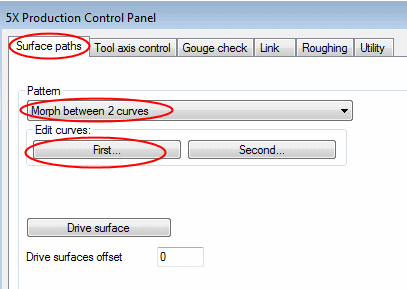
In the Surface Paths dialog, select Morph Between 2 Curves as the Pattern and select First for Edit Curves.
-
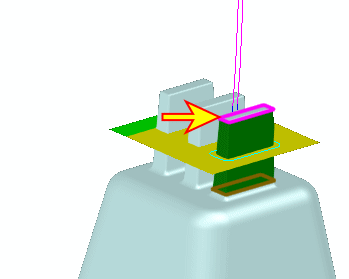
Pick the contour as indicated by the arrow below: