|
|
5X_Tilting
Cutter Tilt Control
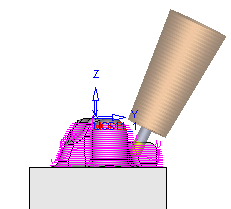
Tilting enables you to use the full capabilities of your 5 axis machine to mill additional material with the current tool. Instead of immediately replacing the cutter when a gouge is imminent, the work table or tool is tilted to a specified Tilt Angle, enabling you to continue removing material with the current tool.
The Cutter Tilt Control branch enables you to define the level of control over its use and over the display of the parameters in the branch.
-
Load the 5X_Tilting_Smooth.elt file.
-
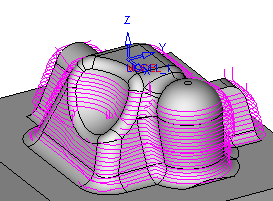
View the displayed toolpath.
-
Edit the procedure. Note that the Cutter Tilt Control checkbox is marked.
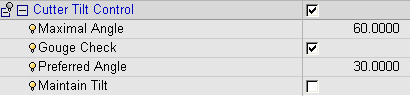
-
Gouge check: If this parameter is switched on (checked), the system checks for and prevents any possible gouging by the cutter or holder. By default, this parameter is switched on.
This parameter can be switched off (unmarked) in cases where increased performance is desired and where the Preferred Tilt Angle can be defined to prevent gouging. However, in these cases, there is no holder gouge checking by the system and you should use the Machine Simulator to confirm the results.
If this parameter is switched on, the following parameters are displayed:
-
Maximal Angle: The maximum angle (between the Z axis and the tool axis) allowed by the user when calculating the possible inclination of the tool.
-
Preferred Angle: The tilt angle (between the Z axis and the tool axis) preferred by the user when calculating the possible inclination of the tool
-
Maintain Tilt: Maintain the tilt angle during machining, even if tilting is not necessary at that point
-
-
Enter the Navigator.
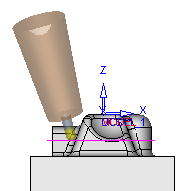
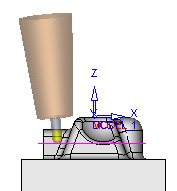
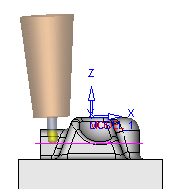
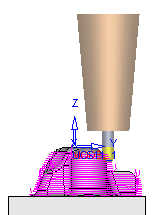
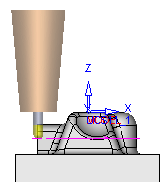
Note the area where the tilt angle is 0angle is 0.
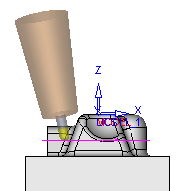
Notice the areas where the tilting angle is implementedtilting angle is implemented.
The tilting angle is optimized taking into account the Preferred Tilt Angle and the maximum Angle.
Note that the connection motion is a smooth connection where angle changes form tilt to no tilt (tilt = 0) gradually.