|
|
Cycles Logic 3
A PINK arrow is shown on the picked point, showing the opposite direction to the probe approach motion (which is the direction the probe will advance towards the geometry while measuring).
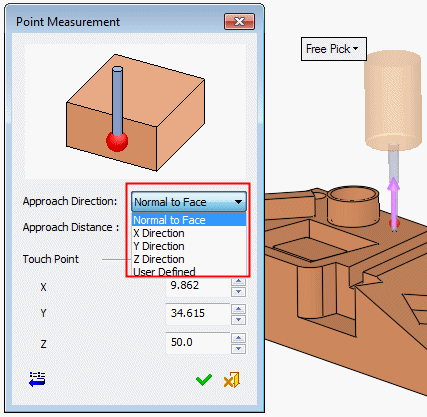
By default, in this cycle the approach direction is set to normal to the picked face but it can be changed to be along the X, Y, Z main direction or a user-defined direction using the direction arrow.
Note that some controls are not able to support all directions. Furthermore, some directions may result with a less accurate result, as it depends on the way the probe is calibrated.
-
Accept the default option, Normal to Face.
-
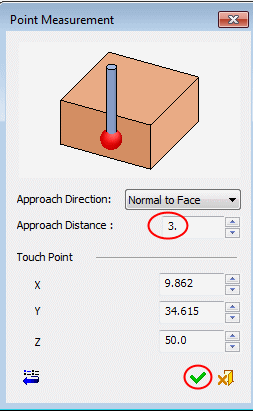
The approach distance is the size of the measuring approach motion. It determines how far the probe will be positioned away from the measured point.
Set the value to 3.
Click OK.