|
|
Volume Milling: Entry Mode
Drilling
In this exercise, we'll examine the mode of entry to the start point of the toolpath.
-
Open the Entry Mode.elt file.
-
Click
 to explore the procedure.
Tips
- The part includes a Rough procedure.
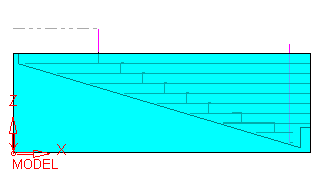
- The part is an open cavity, which means that the tool must not plunge in order to machine it.
- The part is machined in 8 layers, from inside-out.
Using a different machining strategy, such as outside-in or stock spiral, the results of this tutorial will differ.
-
Edit the Rough Spiral procedure and observe that the Entry Mode is set to Drilling (Plunge Only-a Ramp Angle of 90 degrees).
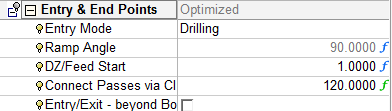
Using this option, the entry movements are performed using drilling (plunging) motions.


