|
|
No Plunging
-
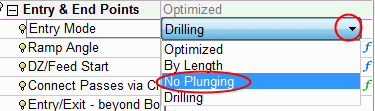
Change the Entry Mode option to No Plunging.
-
Save and calculate the procedure.
Using this option, the tool is not allowed to perform any downward motion while entering the material (the correct Z level must be found in the air).
In the example, the Entry/Exit - Beyond Boundary Limits parameter checkbox was left unmarkedunmarked .
.
For this reason, no Toolpath was created as the tool could not enter within the boundary without plunging (and this option was turned off).We'll now allow the tool to enter beyond the boundary limits.
-
Check the Entry/Exit - Beyond Boundary Limits parameter and save and calculate the procedure.
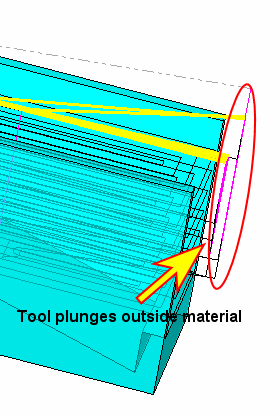
In the image, you can see that the tool plunges outside the material and then makes a slotting motion towards the pocket start point.
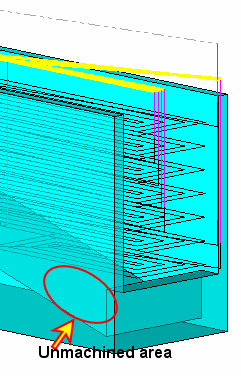
In the lower layers, the correct Z level cannot be found in the air (due to the step) and hence the area cannot be machined.
-
Now change the Entry Mode back to Drilling.
Note that although the tool may plunge outside the material, it plunges through it. This plunging is requested by the drilling option.


