|
|
Exact-Rough Compare of Unapplied Changes Step 5
Off course, we do want these faces to be removed as the original source faces before they are rounded and no longer exist in the ECO1 part.
How do we solve this problem?
We will let the system search for these faces in a looser distance (and not necessarily to look for the exact faces).
We toggle the option Exact Compare of Unapplied Changes to Rough Compare of Unapplied Changes, Up To:.
If we set the distance to 3 mm for example, the system can find these almost similar (within the set distance) faces and mark them as faces to be removed. Therefore, we received the wanted result. General mended faces are kept and changes of ECO on mended faces are marked to be deleted.
|
This will be the final result after replacing the faces according to the comparison analysis: Note that the final result in this case is slightly different from the ECO as the third box was moved by delta within the mending job in the work file.
|
Master 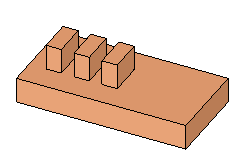
|
|
Work 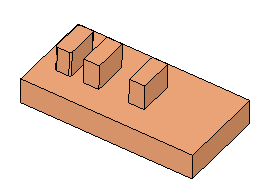
|
|
|
ECO1 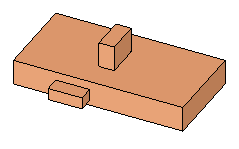
|