|
|
Exact-Rough Compare of Unapplied Changes Step 4
Why did we get this result? This is how the system analyzes the changes:
The system checks if the changes between the ECO1 and the Master are already applied in the work file. If they aren't, then it highlights these faces and they will be included in the comparison. The system makes the following checks:
-
Are the BLUE faces to be added (Image 1) already applied (exist) in the work file?
Image 1: Blue faces to be added to the work part
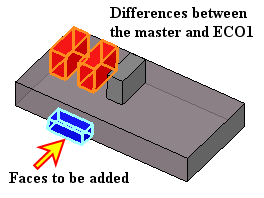
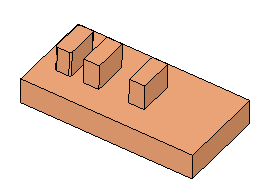
The answer is no (see the work file in Image 2). No, the BLUE faces are not there yet; therefore, they will be included in the comparison as faces to be added.
Image 2 : Work part
-
Were the RED faces (Image 4) already removed from the work file?
Image 4: Red faces removed from Master
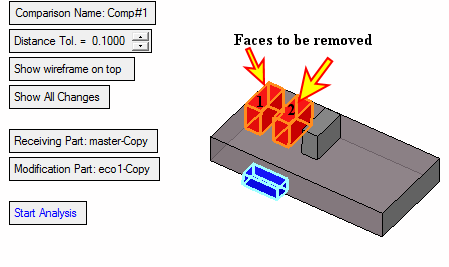
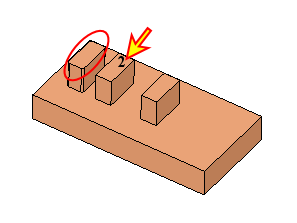
In this case, the system can find the RED faces of box 2 in the work file (indicated by the arrow in Image 5) because they are similar.
Image 5: Current work file
If they are not removed from the work file yet, then the system marks them in RED as shown in Image 6.
Image 6
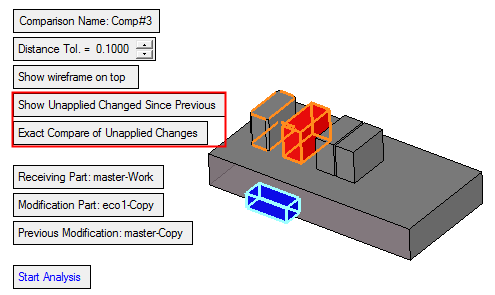
What about faces of box 1? The system cannot find the exact RED faces of box 1 in the work file (marked by the RED circle in Image 5) as they were slightly changed by the mending job. If it does not find them, it means that they were already removed from the work file and, therefore, it does not mark them in RED as faces to be removed from the work file (Image 6).


