|
|
Exact-Rough Compare of Unapplied Changes Step 3
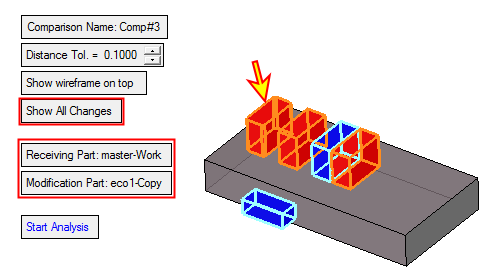
As explained before, the changes are supposed to be applied in the work file; therefore, the relevant comparison is between the work part and the ECO1. In the comparison below, you may see all the differences between the Work part and ECO1. This comparison includes the differences between the ECO1 and the master as well as the mending job.
The left box (red faces shown by the arrow in the following image) are faces to be removed due to the ECO1. Note also that a mending job was done on these faces in the work file (they were rounded as part of the mending job in the work file).
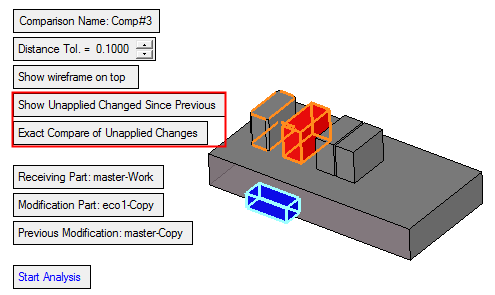
Within the compare of the work part and the ECO1, we toggle the Show All option to Show Unapplied Changes since Previous (master), as we would like to keep the mending job in the work file.
The system shows correctly the blue faces to be added; however, some of the red faces are not displayed and only their orange edges are shown.