|
|
Full Cutter Length
-
Click the Cutter tab to perform more changes to the cutter.
-
Click the Show Static Cutter FigureShow Static Cutter Figure
 button.
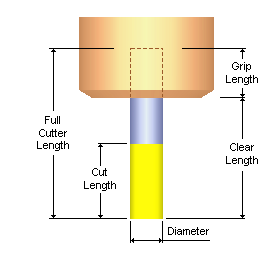
Note the dimensions: Full Cutter Length, Grip Length, and Clear Length.
-
Mark the Full Cutter Length checkbox in the dialog.
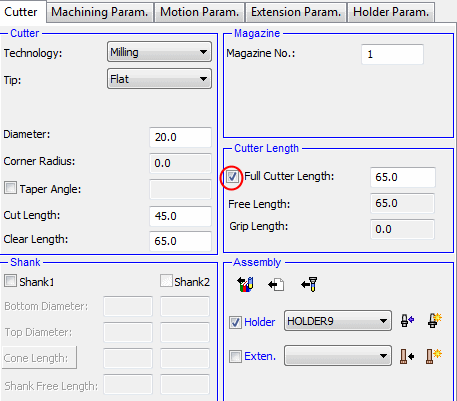
Full Cutter Length is the entire length of the cutter, which is divided into two parts:
Free Length - The length of the cutter that extends outside the holder.
Grip Length - The length of the cutter that is inside the holder.
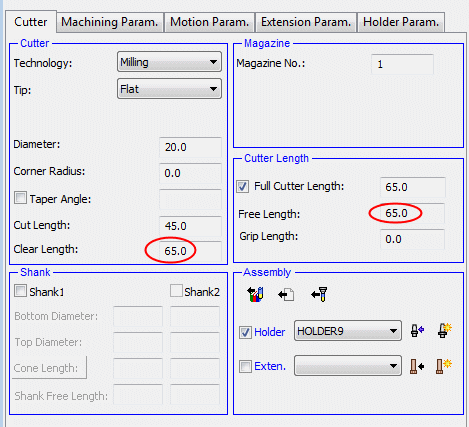
If a cutter has no shank definition, the Clear Length and Free Length are always equal.
-
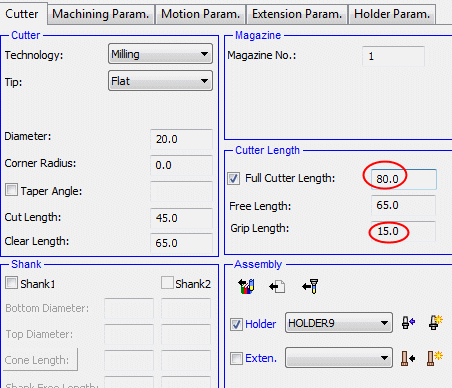
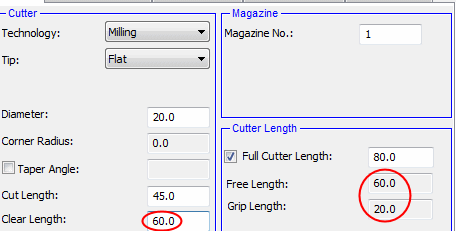
Set the Full Cutter Length to 80. Note that the Grip Length changes accordingly.
-
Set the Clear Length to 60.
The Free Length updates to 60 and the Grip Length changes accordingly, so that Free Length + Grip Length = Full Cutter Length.
-
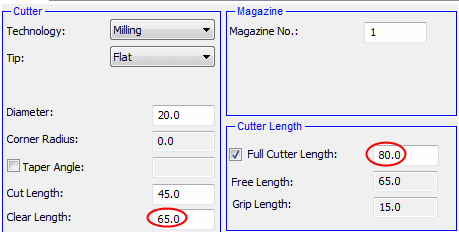
Finally set the parameters as shown in the following image:
-
Click Apply.


