|
|
Geodesic 8
-
Show the set named Containment Curve.
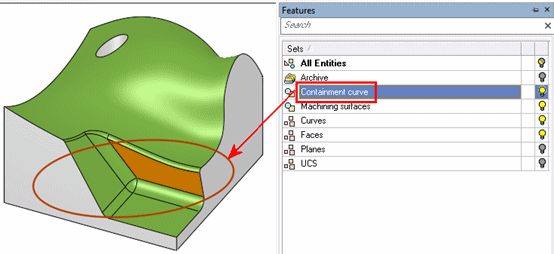
-
Edit the procedure.
-
Set the Containment Type to User Defined.
-
Click on the Containment Curves… button and select the elliptic curve to be the container.
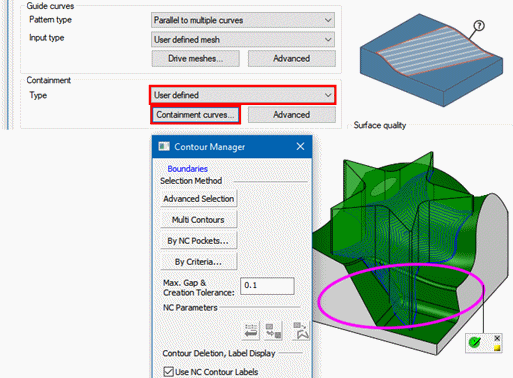
-
-
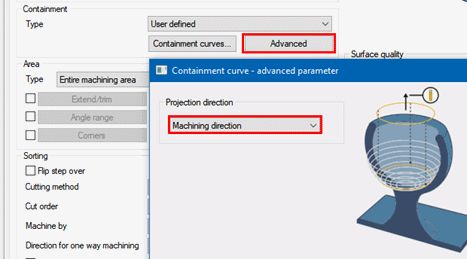
Click the Advanced button.
In the dialog, set the Projection direction to Machining direction.
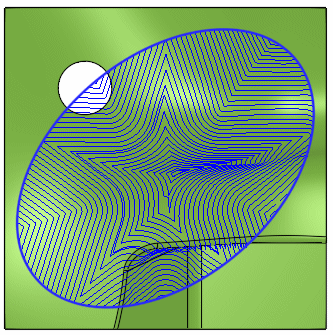
The calculation result this time are motions guided by the star-like mesh and contained by the elliptic curve.
Summary
The benefit from this new Geodesic functionality is the generic ability to calculate a true 3D step motion pattern regardless of the shape and including undercut areas.
Once again, there are many more parameters. Many of them are well known from 5X-Production. Some parameters will be relevant to a specific geometry and machining settings and some will not.
This exercise highlighted a few of the important setting options. You are welcome to explore the others.


