|
|
Micro Milling Parameters
-
Create a new procedure under the previously created toolpath (TP).
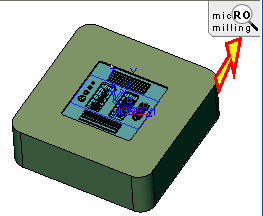
When you are in Micro Milling toolpath mode, a Micro Milling icon is displayed in the top right corner of the display area
The default value of Max. Contour Gap is appropriate for the Micro Milling toolpath.
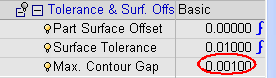
This parameter overrides the Max. Contour GapMax. Contour Gap definition in the Preferences.If the gap between two contours is smaller than this tolerance value, the contours will be connected.
The following Micro Milling toolpath types are available:
- 3 Axis
- Volume Milling: Rough, ReRough
- Surface Milling: Finish
- Remachine: Cleanup, Pencil
- Flow Line: Morph Between 2 Curve - 3X
- Connection
- 2.5 Axis
- Drill
- 5 Axis
All the 3 axis functions listed above, as well as:
- 5X Aerospace
- 5X Drill
- 5X Tilting
-
Improve performance by performing a partial holder gouge checking only using the Max. Holder Dia. Considered parameter.
Set the Advanced mode for the Stock and Shank & Holder branches.
-
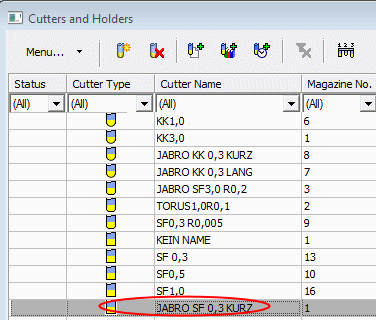
Select another cutter with the holder, JABRO SF 0.3.
Notice the Max. Holder Dia. Considered parameter that is specified for micro milling.
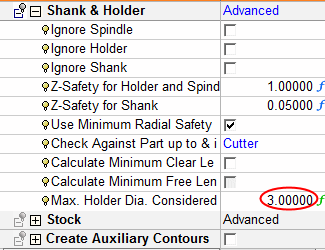
The milling resolution is dependent on the larger size of the component involved in the TP. Top diameters of the Holder are relatively larger. This can affect the accuracy of the TP.
In cases where the user knows that the top part of the holder definitely will not gouge the part (it is far enough from the milling zone), there is an option to set a Max Holder Diameter Considered (smaller value than the larger diameter of the holder) that will be considered for the gouge checking calculation.
The Shank is considered as a holder.


