|
|


New Direction of the Slider
-
Click the arrow base and select the Along XAlong X option.
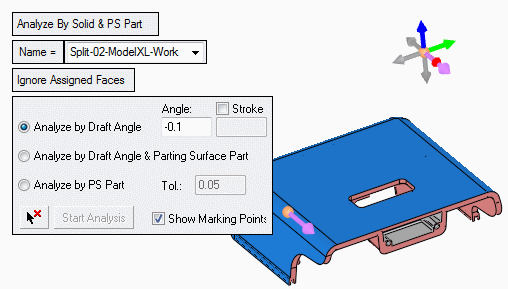
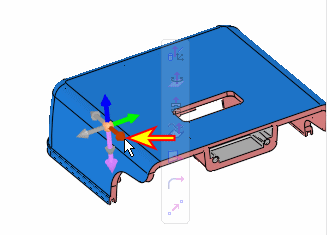
-
Select the face indicated by the arrow in the following image and click Start Analysis.
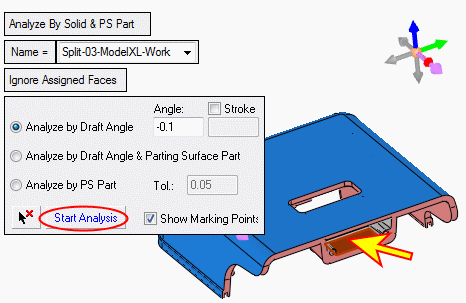
-
Click OK and enter the Quicksplit option. Drag the slider to examine the result.
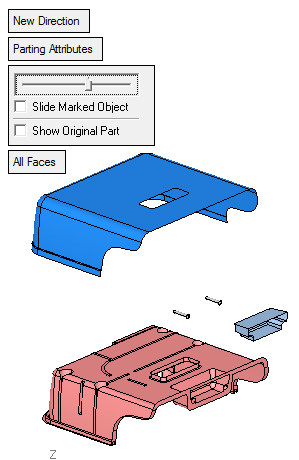
Every splitting direction is represented in the parting tree (Split-01 and Split-02). Unassigned faces are also represented in the All Parts-Unassigned branch.
