|
|
Offset Explode Lines
You can move groups containing the parent and children or single entities in different directions by offsetting the explode lines, as described in the following step.
-
Press the Clear Selection button.
-
Press the Show Lines button.
-
Click the red circle on the locating ring line (if the red circles are grayed out, this means that one or more components are selected. In this case, press the Clear Selection button).
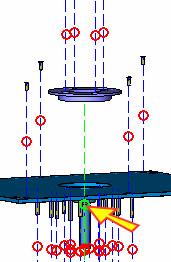
The explode lines show the movement of the components.
The red circles are used to break the explode line.
-
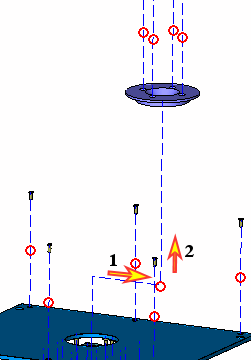
Drag the circle up and then move it to the right.
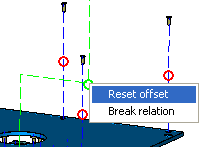
To reset the offset, right-click the circle and select Reset Offset.