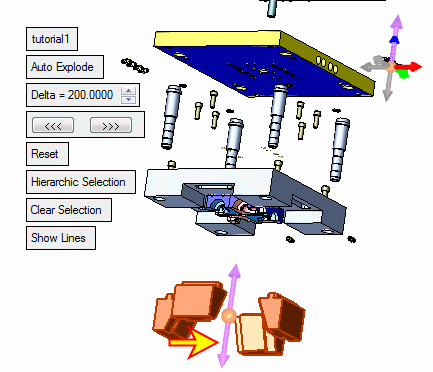
|
|
Define New Hierarchy
Next, define the three locking heels as children of the other locking heel (the one that isn't connected to K20). Selecting existing children of a certain parent to be children of another parent disconnects the children from the first parent and connects them to the new parent.
-
Select the parent shown in the image below:
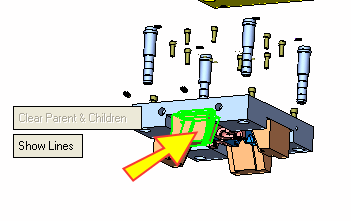
-
Pick the other 3 instances as children.
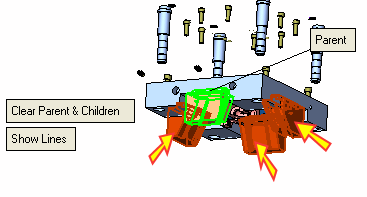
-
Click the Clear Parent and ChildrenClear Parent and Children to confirm the new hierarchy group.
-
Now that you have edited and defined your hierarchical connections, you must move the selected group in the required direction. To do so, you must return to the first required step in the Feature Guidefirst required step in the Feature Guide. Select the parent locking heel and move all of them down.