|
|
Optimized Strategy
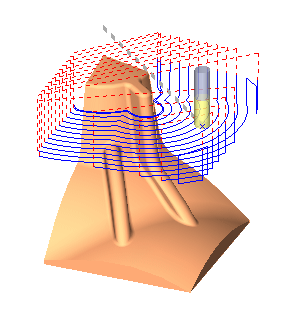
Set the milling strategy for Volume Milling and Rough Spiral.
If the User Defined Strategy is selected, there is an option to set a limit for the number of stock spiral lanes allowed. This means that the user controls when to use stock spiral pocket strategy and when to use spiral pocket strategy.
The Stock Spiral and Climb options are very useful for reducing air jumps when machining.
-
Open the RoughReRoughOptimizeStrategy-TUT.elt file.
-
Use the Navigator to examine the toolpath.
Use the Navigator - By Layer option.
Note that using the Optimized strategy and Climb milling direction results in Stock Spiral motions in all layers and many air motions at the beginning of each pass.